Versions & the dev channel
Versions and channels
Section titled “Versions and channels”Package versions are numbered MAJOR.MINOR.PATCH. Each package has two channels:
- Stable: released versions, such as
1.4.0. This is what Latest installs. - Dev: versions in development, such as
1.5.0-dev.2, flagged Dev in the warning colour wherever they appear. A development version comes before its stable release:1.5.0-dev.2is older than1.5.0.
Install a development version
Section titled “Install a development version”In the version window (from the Catalogue), choose Development. Auditix warns:
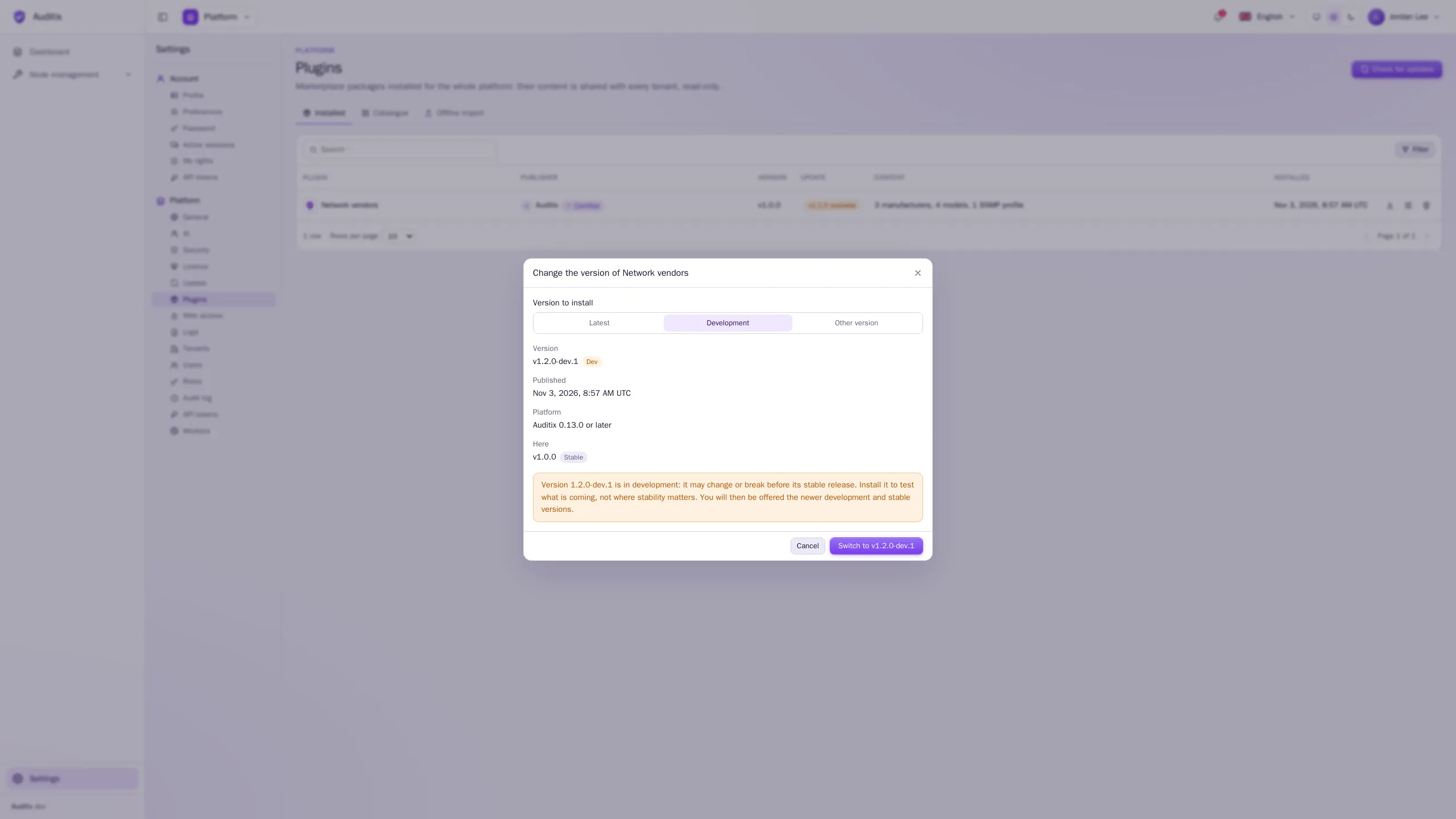
The same choice is offered by Change version on the row of an installed plugin: the window then also shows the version installed Here, and its button reads Switch to v….
Keep development versions for test instances or tenants.
Updates
Section titled “Updates”Once a day, Auditix asks the marketplace for newer versions of the installed packages (scheduled task Plugin updates), and notifies the administrators once per new version: platform administrators for platform plugins, the administrators of the tenant for its plugins. Check for updates, at the top of the Plugins page, does the same at once. It needs an instance connected to the marketplace.
What is offered depends on the channel you installed:
| Installed | Offered |
|---|---|
| A stable version | Newer stable versions only (a development version is never offered: choose it by hand) |
| A development version | Newer development versions and newer stable versions |
An available update shows in the Update column (v… available). To apply it:
-
Click the update button of the plugin’s row (Update to v…).
-
Read the window: … goes from version … to version …. What the new version no longer holds is removed, unless something still uses it.
-
Click Update to v….
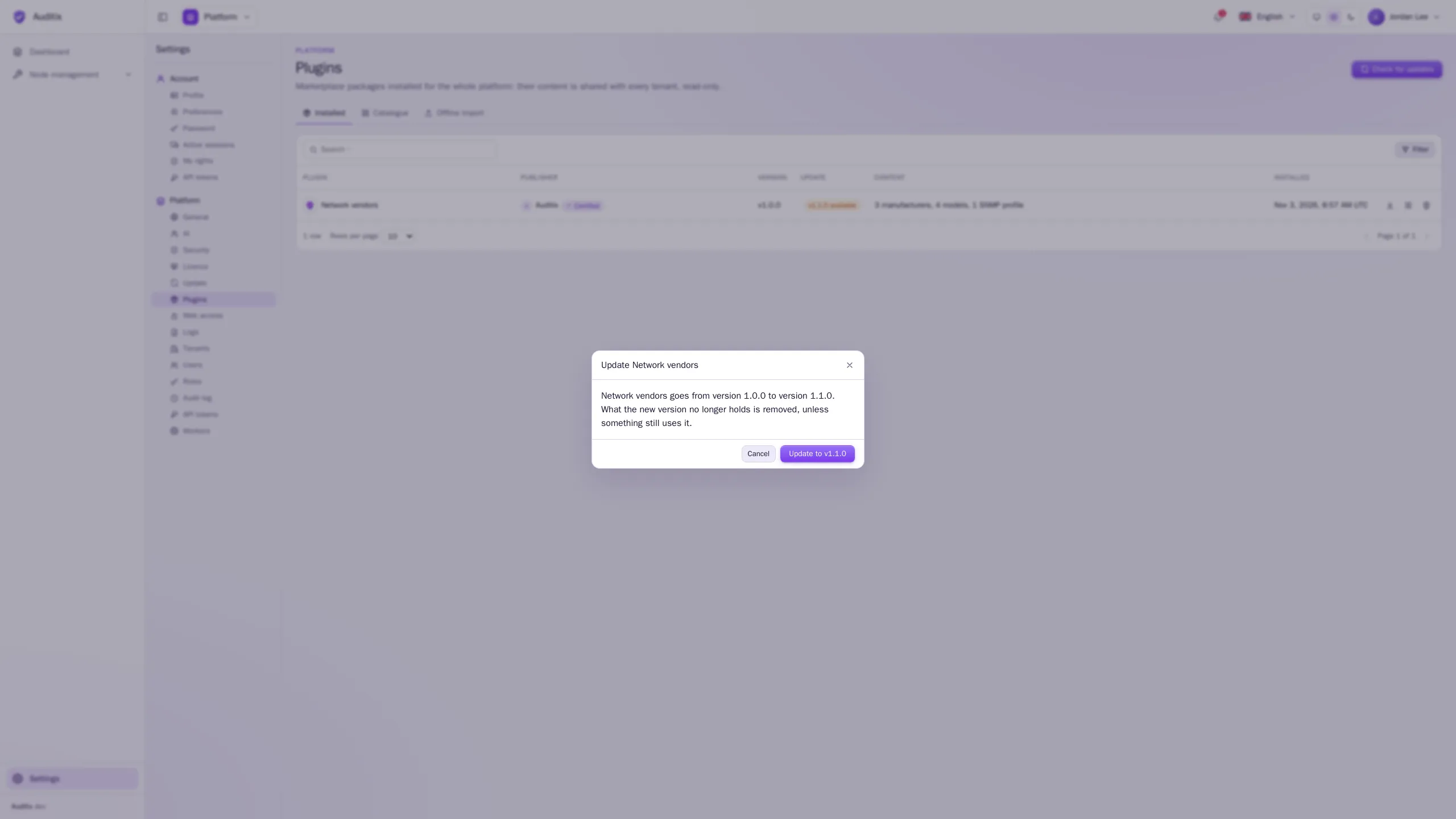
The content is synchronised: items still in the package are updated, new ones created, those the new version no longer holds are removed. If one of them is still used outside the package, nothing changes and the update is refused (The package cannot be updated: … would be removed but still in use.). The credentials you set for its items are kept.
For an instance without Internet access, download the new version from the marketplace and import it in Offline import: the preview says Updates the installed version … to version ….
Change version, downgrade
Section titled “Change version, downgrade”Change version (on the row of an installed plugin, or on its row in the catalogue) opens the version window to move to another version: another channel (from development back to stable, for instance) or an older version.
Installing an older version is a downgrade. The window says so (Version … is older than the one installed (…): installing it downgrades the plugin. What it no longer holds is removed, unless something still uses it.) and the button reads Downgrade to v…. With a file, the preview warns in the same way (A newer version is installed…). The version already installed cannot be installed again.