Profiles
A profile says how to reach a kind of equipment: an SNMP profile, a CLI profile, or both, plus whatever else the equipment needs (additional credentials and custom variables). Open Node management › Profiles.
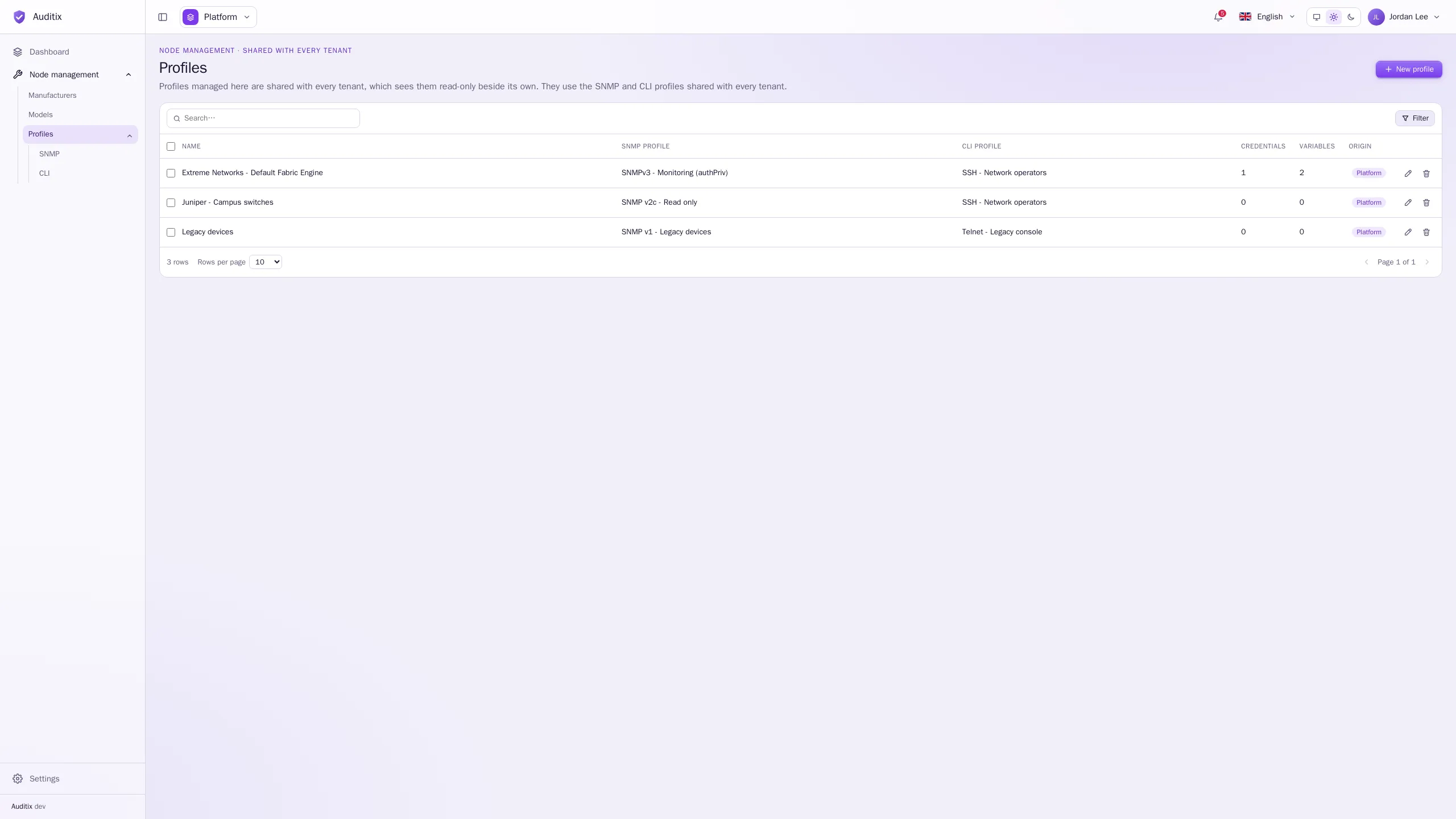
The table shows each profile’s Name, its SNMP profile and CLI profile, how many additional Credentials and Variables it holds, and its Origin.
Create a profile
Section titled “Create a profile”-
Create the SNMP and CLI profiles it will use, if they do not exist yet.
-
In Node management › Profiles, click New profile.
-
Give it a Name and, optionally, a Description.
-
Choose its SNMP profile and its CLI profile: at least one of the two (No SNMP profile or No CLI profile for the other). The same SNMP or CLI profile may serve several profiles.
-
Click Create the profile. It opens on its page.
In a tenant, a profile can use the tenant’s SNMP and CLI profiles and those the platform shares. In the platform view, it uses the SNMP and CLI profiles shared with every tenant.
The profile page
Section titled “The profile page”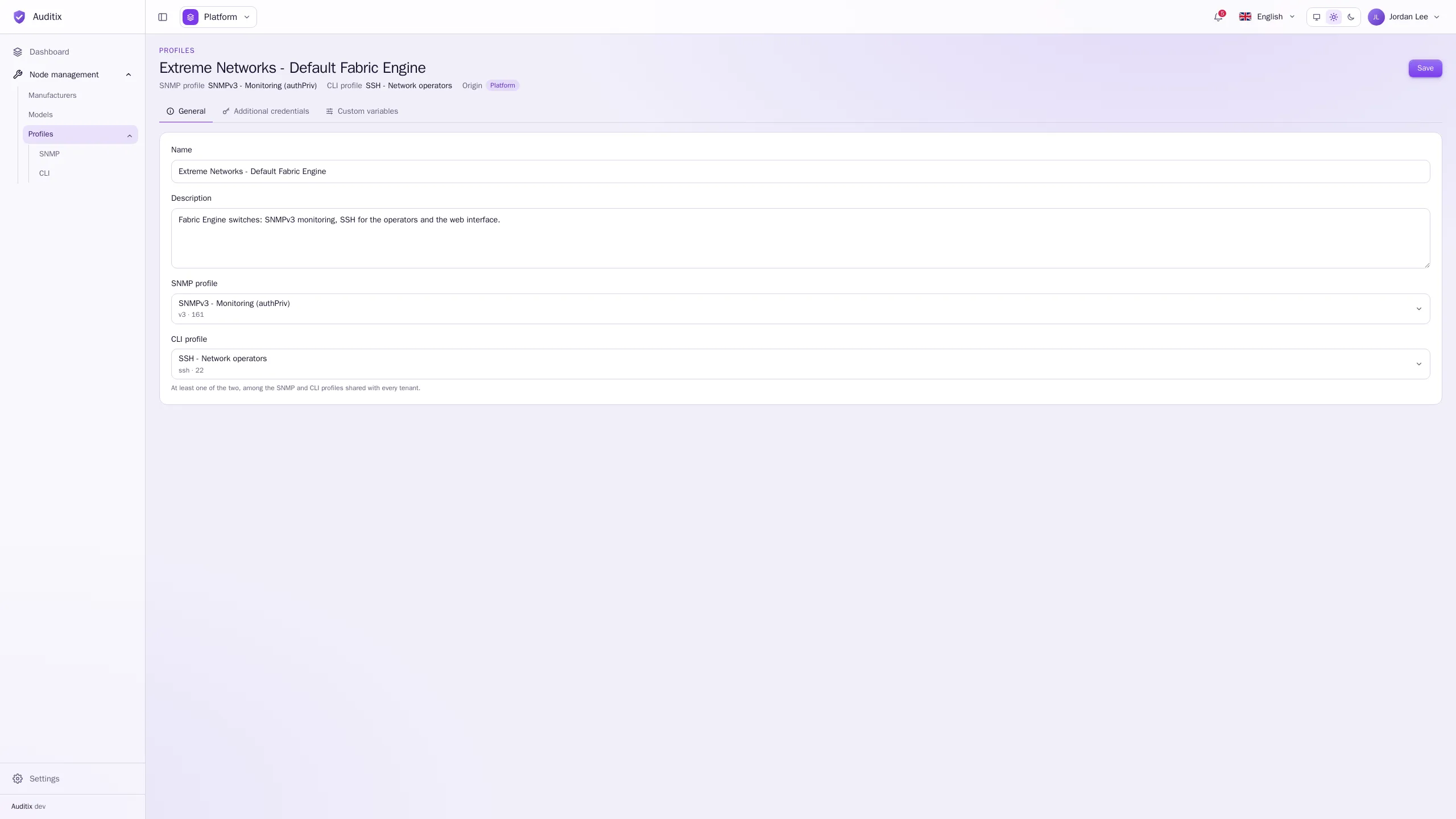
- General: Name, Description, SNMP profile, CLI profile. Click Save after a change.
- Additional credentials: user names and passwords for whatever else the equipment asks to sign in to.
- Custom variables: values for anything else the equipment needs.
See Additional credentials & custom variables.
Example: “Extreme Networks - Default Fabric Engine”
Section titled “Example: “Extreme Networks - Default Fabric Engine””A profile for Extreme Networks switches running Fabric Engine, monitored over SNMPv3 and reached over SSH by the operators, with the login of their web interface and the address of their REST API:
| Field | Value |
|---|---|
| Name | Extreme Networks - Default Fabric Engine |
| SNMP profile | SNMPv3 - Monitoring (authPriv) (v3, port 161) |
| CLI profile | SSH - Network operators (SSH, port 22, user netops) |
| Additional credentials | Web UI (user admin) |
| Custom variables | api_url = https://fabric.example.com/api, api_token (secret) |
Example: campus switches
Section titled “Example: campus switches”| Field | Value |
|---|---|
| Name | Juniper - Campus switches |
| SNMP profile | SNMP v2c - Read only (installed by the Network vendors plugin) |
| CLI profile | SSH - Network operators |
The same SNMP or CLI profile serves several profiles: here SSH - Network operators is used by both.
Edit or delete a profile
Section titled “Edit or delete a profile”Click a row to open its page; the bin of a row deletes it (type its name to confirm). Deleting a profile does not delete the SNMP and CLI profiles it uses.