Roles & permissions
What an account may do is decided by its roles. A role is a list of permissions; an account holding several roles gets all their permissions together. What a role does not list, it does not give.
Two kinds of roles
Section titled “Two kinds of roles”- Platform roles delegate parts of Settings › Platform without making someone a platform administrator: for example a role that only views the audit log, or one that manages users. They are held by the account itself, given in Users.
- Tenant roles apply inside a tenant. They are held through memberships: a member can hold several
roles in a tenant, and different roles in different tenants. They come from three origins:
- Built-in: Administrator (every permission of the tenant; it cannot be changed, and gives access to new features automatically) and Member (uses the tenant and its assistant);
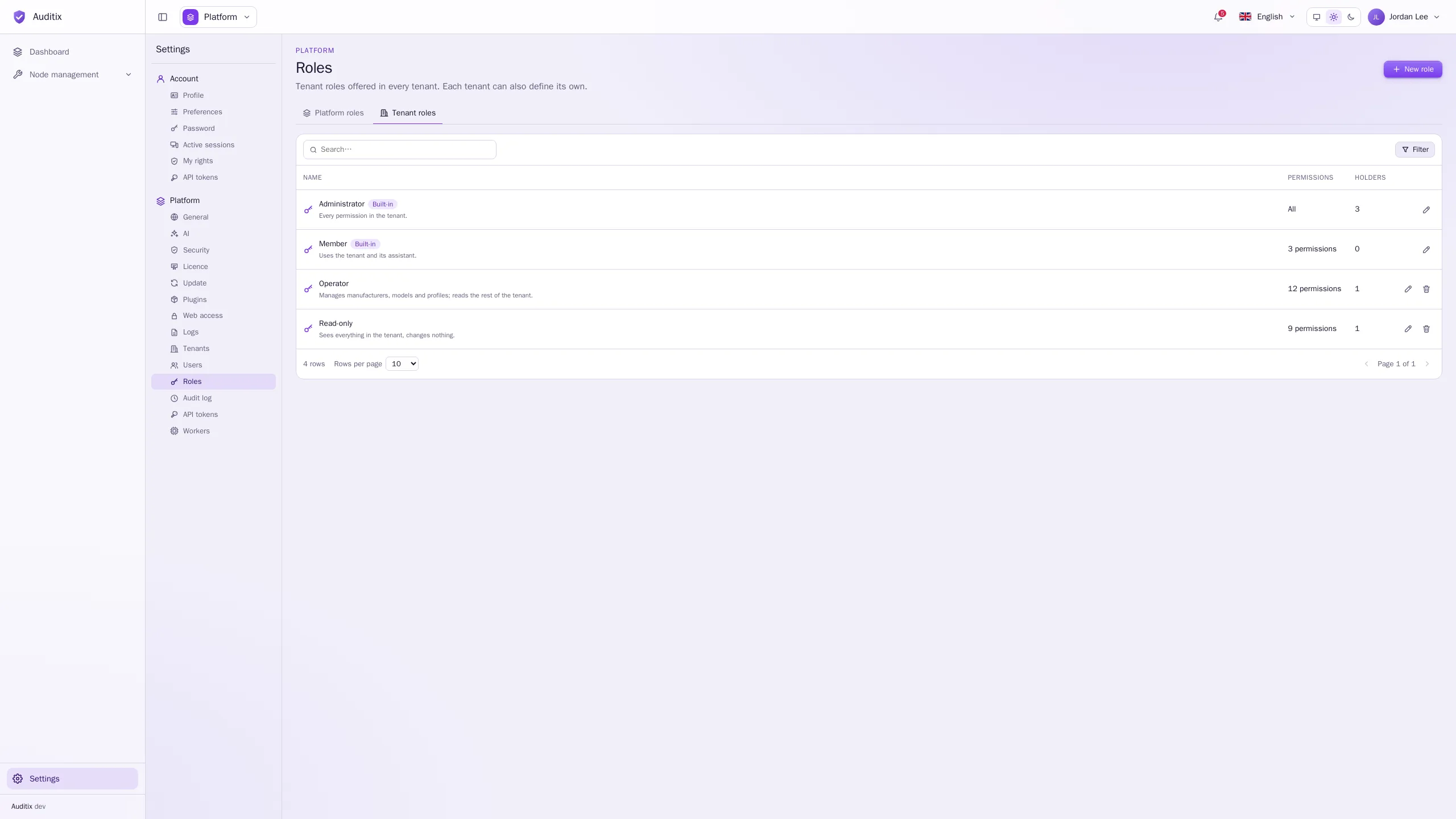
- Platform: tenant roles defined by platform administrators in Settings › Platform › Roles › Tenant roles, offered in every tenant;
- Custom: roles a tenant defines for itself in Settings › Tenant › Roles.
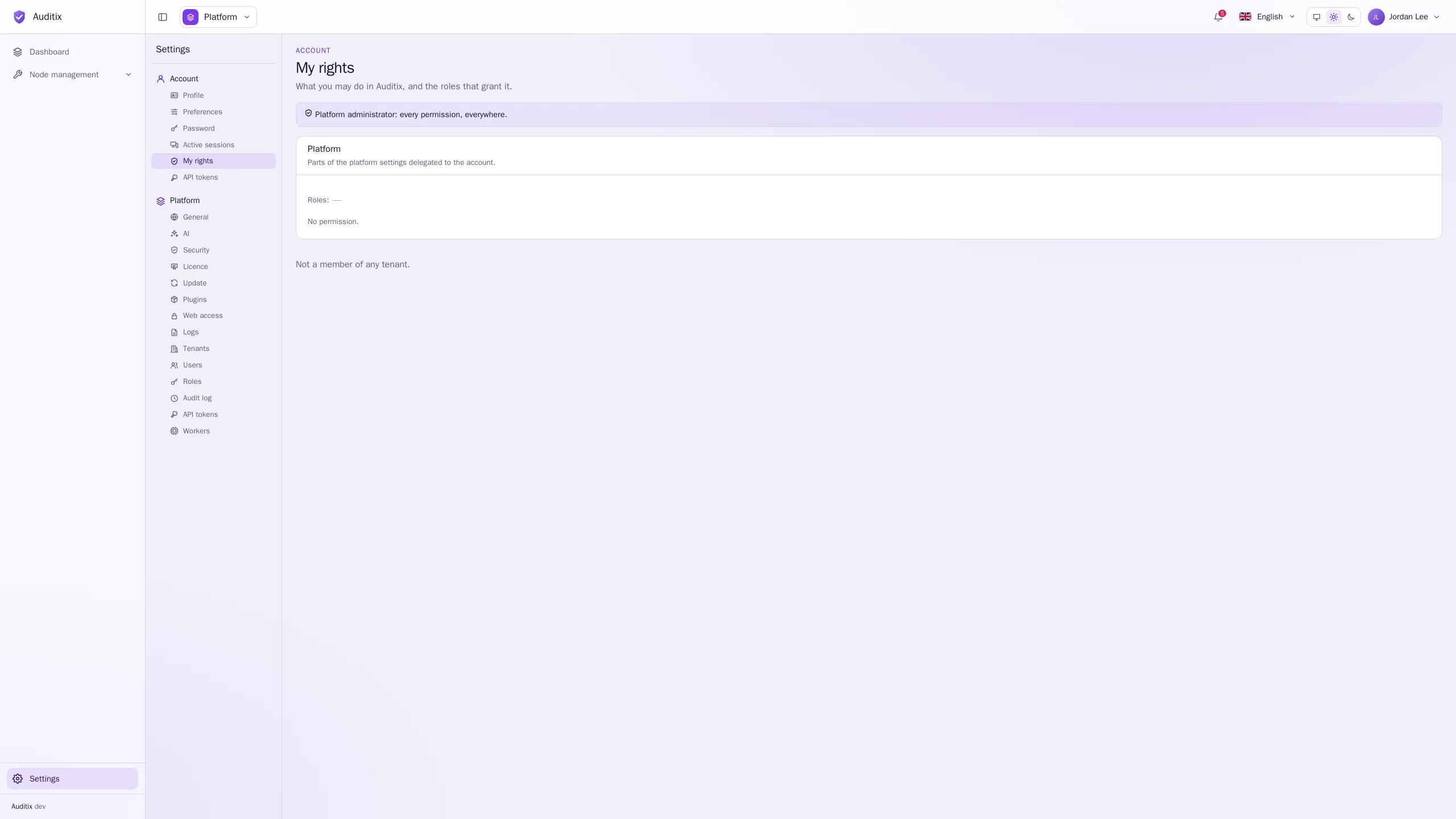
Platform administrators hold every permission, everywhere.
Create a role
Section titled “Create a role”-
Open Settings › Platform › Roles (choose the Platform roles or Tenant roles tab), or Settings › Tenant › Roles for a role of the current tenant only.
-
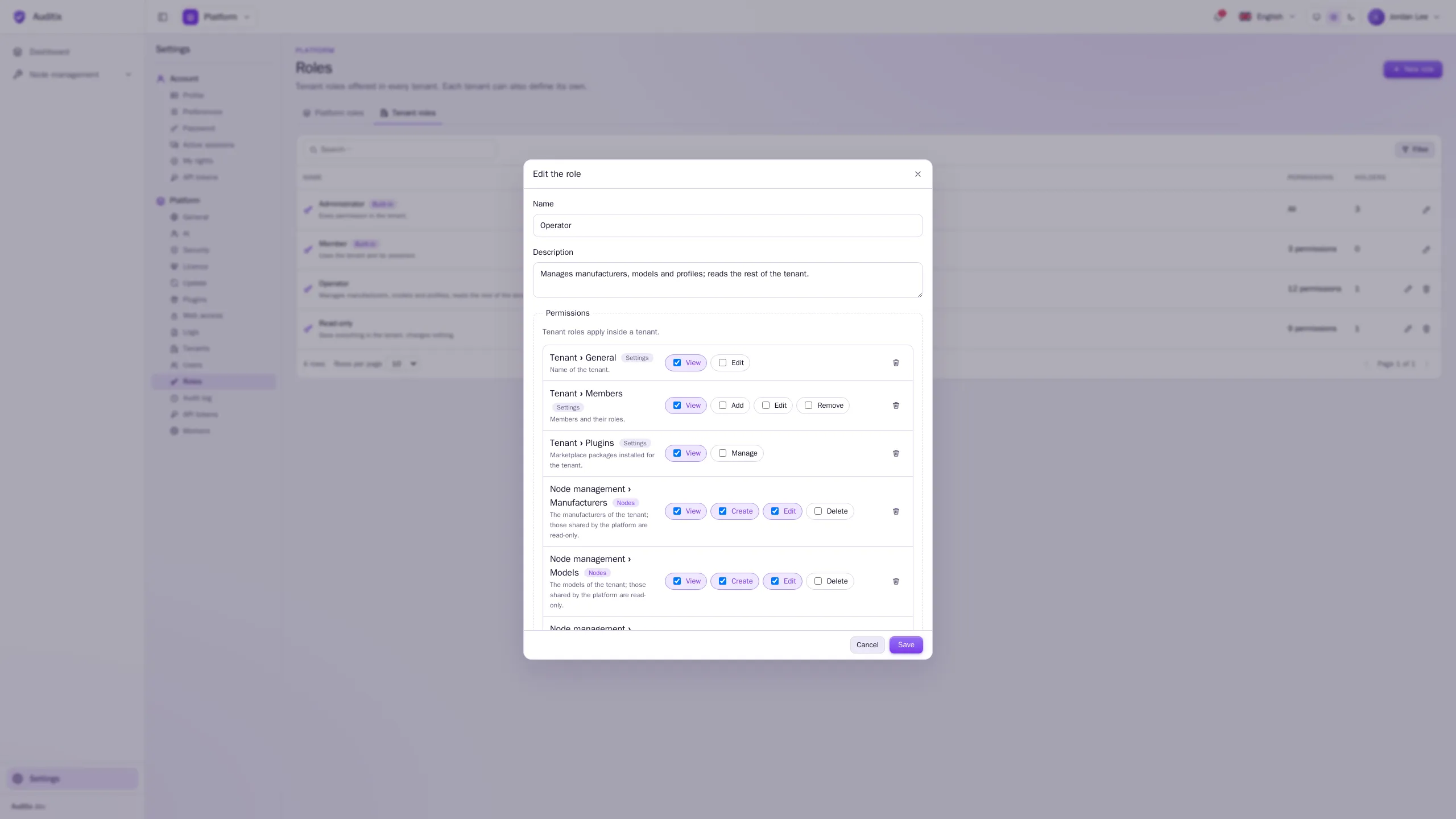
Click New role, give it a Name and a Description.
-
Under Permissions, click Add a permission and choose a feature, then check its actions (View, Create, Edit, Delete…). Repeat for each feature the role gives.
-
For permissions that can be limited to resources (agents, knowledge bases), choose Everywhere, or Some agents / Some bases or folders and pick them.
-
Click Create the role.
Nobody can create, change, delete, give or take away a role granting more than they hold themselves.
See what an account may do
Section titled “See what an account may do”- Settings › Account › My rights: your own permissions, where they apply and the roles that grant them.
- Settings › Platform › Users, an account’s Rights tab: the same for any account, tenant by tenant.
The permissions
Section titled “The permissions”Each permission is a feature and an action. Platform permissions belong in platform roles, tenant permissions in tenant roles.
Platform permissions
Section titled “Platform permissions”| Feature | Actions | What it covers |
|---|---|---|
| Tenants | View, Create, Edit, Delete | Every tenant of the instance. |
| Users | View, Create, Edit, Delete | Every account; their platform roles. |
| Roles | View, Manage | Platform roles and the tenant roles shared everywhere. |
| General and security | View, Edit | Name, time zone, colours, passwords and sessions; also the Update page. |
| Audit log | View | Every change made in Auditix, by whom and when. |
| Web access | View, Edit | Address of the instance, HTTP and HTTPS, the certificate. |
| Logs (syslog) | View, Edit | The syslog servers the logs of the instance go to. |
| API tokens | View, Manage | Platform API tokens, and every token of the instance. |
| Workers | View, Edit | Worker containers, their pools, the queues and the failed messages. |
| Scheduled tasks | View, Edit, Run | Scheduled tasks, their history, and running them on demand. |
| Licence | View, Manage | The licence of the instance, and its connection to the marketplace. |
| Plugins | View, Manage | Marketplace packages installed for the whole platform. |
| AI › General and appearance | View, Edit | Provider, default model and the mascot. |
| AI › Agents | View, Create, Edit, Delete | The agents and their instructions. Can be limited to some agents. |
| AI › Knowledge bases | View, Create, Edit, Delete | Knowledge bases, their folders and documents. Can be limited to some bases or folders. |
| Node management › Platform manufacturers | View, Create, Edit, Delete | The manufacturers shared with every tenant, from the platform view. |
| Node management › Platform models | View, Create, Edit, Delete | The models shared with every tenant, from the platform view. |
| Node management › Platform profiles | View, Create, Edit, Delete | The profiles, SNMP and CLI profiles shared with every tenant, from the platform view. |
Tenant permissions
Section titled “Tenant permissions”| Feature | Actions | What it covers |
|---|---|---|
| Tenant › General | View, Edit | Name, icon and logo of the tenant. |
| Tenant › Members | View, Add, Edit, Remove | Members and their roles. |
| Tenant › Roles | View, Manage | The tenant’s own roles. |
| Tenant › Audit log | View | Changes made in the tenant, and sign-ins to it. |
| Tenant › API tokens | View, Manage | API tokens of the tenant. |
| Tenant › Plugins | View, Manage | Marketplace packages installed for the tenant. |
| AI assistant | Use | Talk to the agents. Can be limited to some agents. |
| Node management › Manufacturers | View, Create, Edit, Delete | The manufacturers of the tenant; those shared by the platform are read-only. |
| Node management › Models | View, Create, Edit, Delete | The models of the tenant; those shared by the platform are read-only. |
| Node management › Profiles | View, Create, Edit, Delete | Profiles, SNMP and CLI profiles of the tenant (one set for the three). Those shared by the platform are read-only; with Edit, the tenant can set its own credentials for them. |
A user who may view a page but not edit it sees it read-only. Menu entries and buttons for what you may not do are hidden.