Manufacturers
Manufacturers are the makers of your network equipment. Each model belongs to one, and shows its logo. Open Node management › Manufacturers.
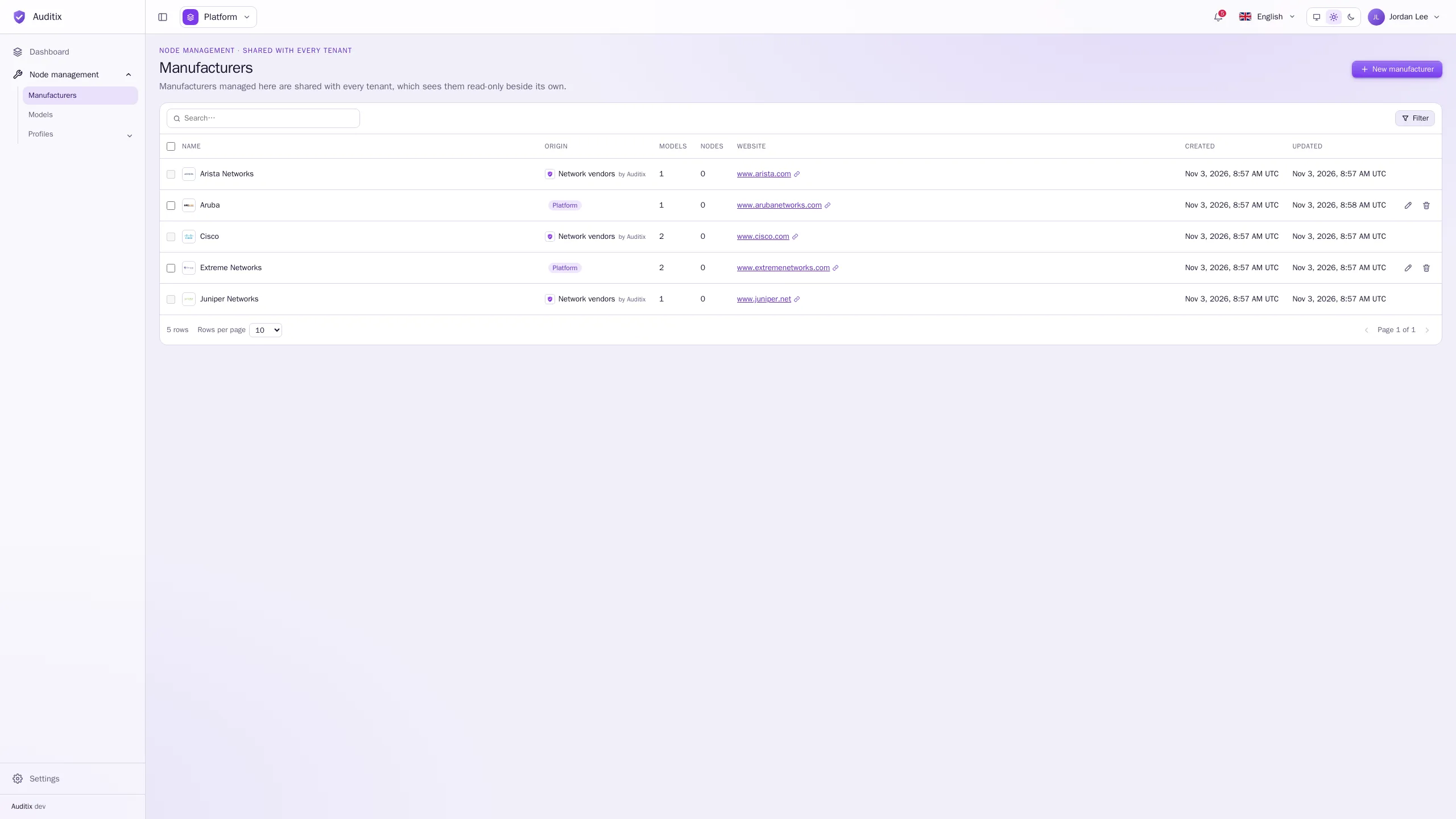
The table shows each manufacturer’s Name, Origin, the number of Models and Nodes using it, its Website and its dates. Click a row to open it. Two packages can bring a manufacturer with the same name: the Origin column tells them apart (package name and publisher).
Create a manufacturer
Section titled “Create a manufacturer”-
Click New manufacturer.
-
Fill in the Name (required), and if you wish:
- Logo: a square image, PNG, JPEG, WebP or SVG, 512 KB at most (without one, the initial is shown);
- Website: starting with
https://(orhttp://); - Support website: where to get support (a portal, a knowledge base…);
- Support contact: a phone number, an email address, a contract number…;
- Description.
-
Click Create the manufacturer.
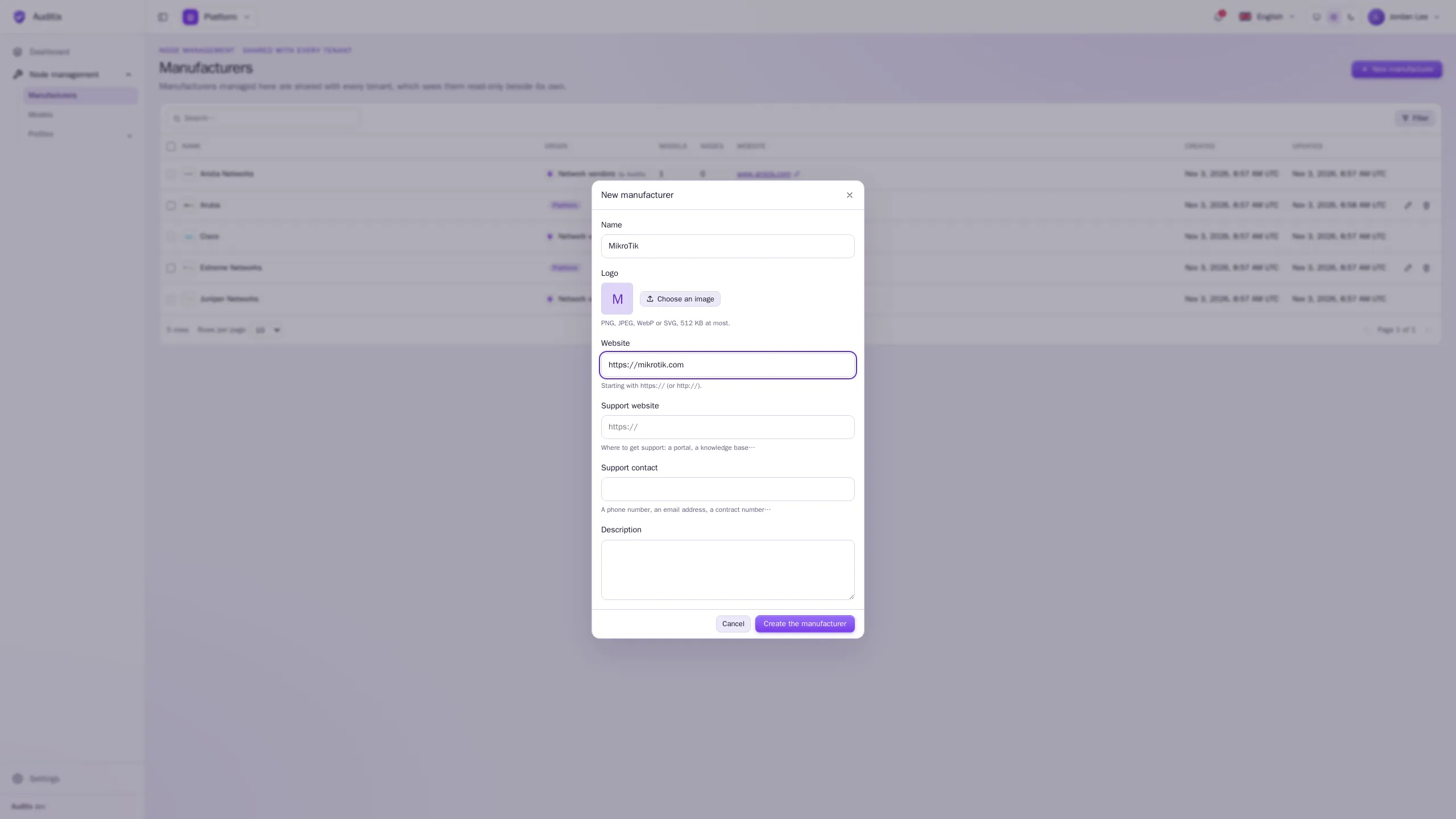
Created in the platform view, the manufacturer is shared with every tenant. Created inside a tenant, it belongs to that tenant only.
Example:
| Field | Value |
|---|---|
| Name | MikroTik |
| Website | https://mikrotik.com |
| Support website | https://mikrotik.com/support |
| Support contact | Support contract MT-0000-EXAMPLE |
Edit or delete a manufacturer
Section titled “Edit or delete a manufacturer”Click the pencil of a row to edit it, the bin to delete it (type its name to confirm). Select several rows to delete them at once.
A manufacturer still used by models or nodes cannot be deleted. Manufacturers shared by the platform are read-only inside tenants; those installed by a package are read-only everywhere (see Shared items & overrides).