Additional credentials & custom variables
Besides its SNMP and CLI profiles, a profile holds two lists, each on its own tab of the profile page:
- Additional credentials: user names and passwords for whatever else the equipment asks to sign in to: a web interface, a REST API… (20 at most per profile);
- Custom variables: values for anything else the equipment needs: addresses, ports, paths, identifiers, tokens… (50 at most per profile).
They travel with the profile: every piece of equipment reached through the profile gets them.
Additional credentials
Section titled “Additional credentials”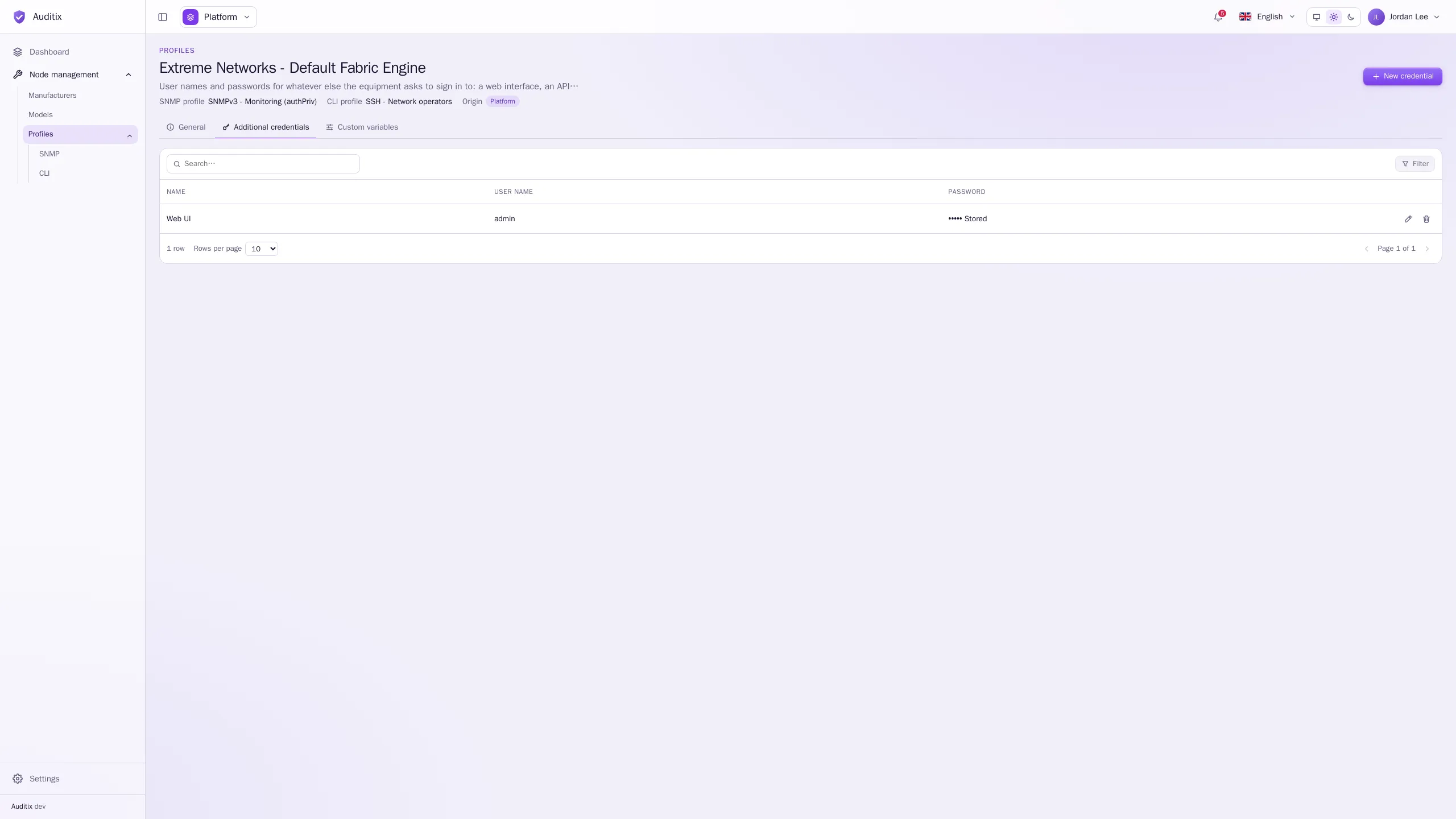
-
Open the profile, then its Additional credentials tab.
-
Click New credential.
-
Fill in the Name (what it signs in to: Web UI, REST API…; unique in the profile), the User name and the Password.
-
Click Add the credential.
The password is encrypted and never shown again: it can only be changed or cleared.
Custom variables
Section titled “Custom variables”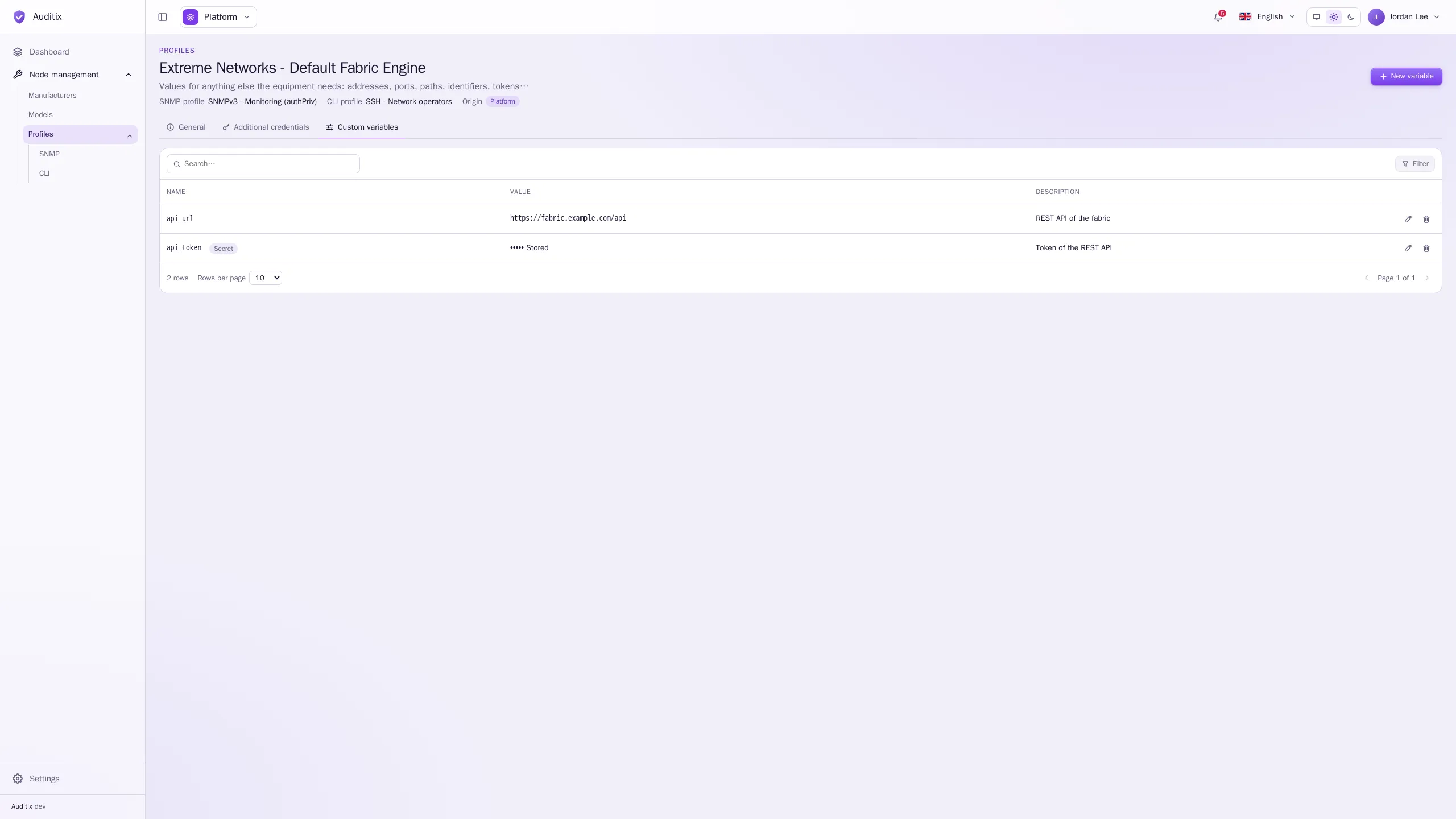
-
Open the profile, then its Custom variables tab.
-
Click New variable.
-
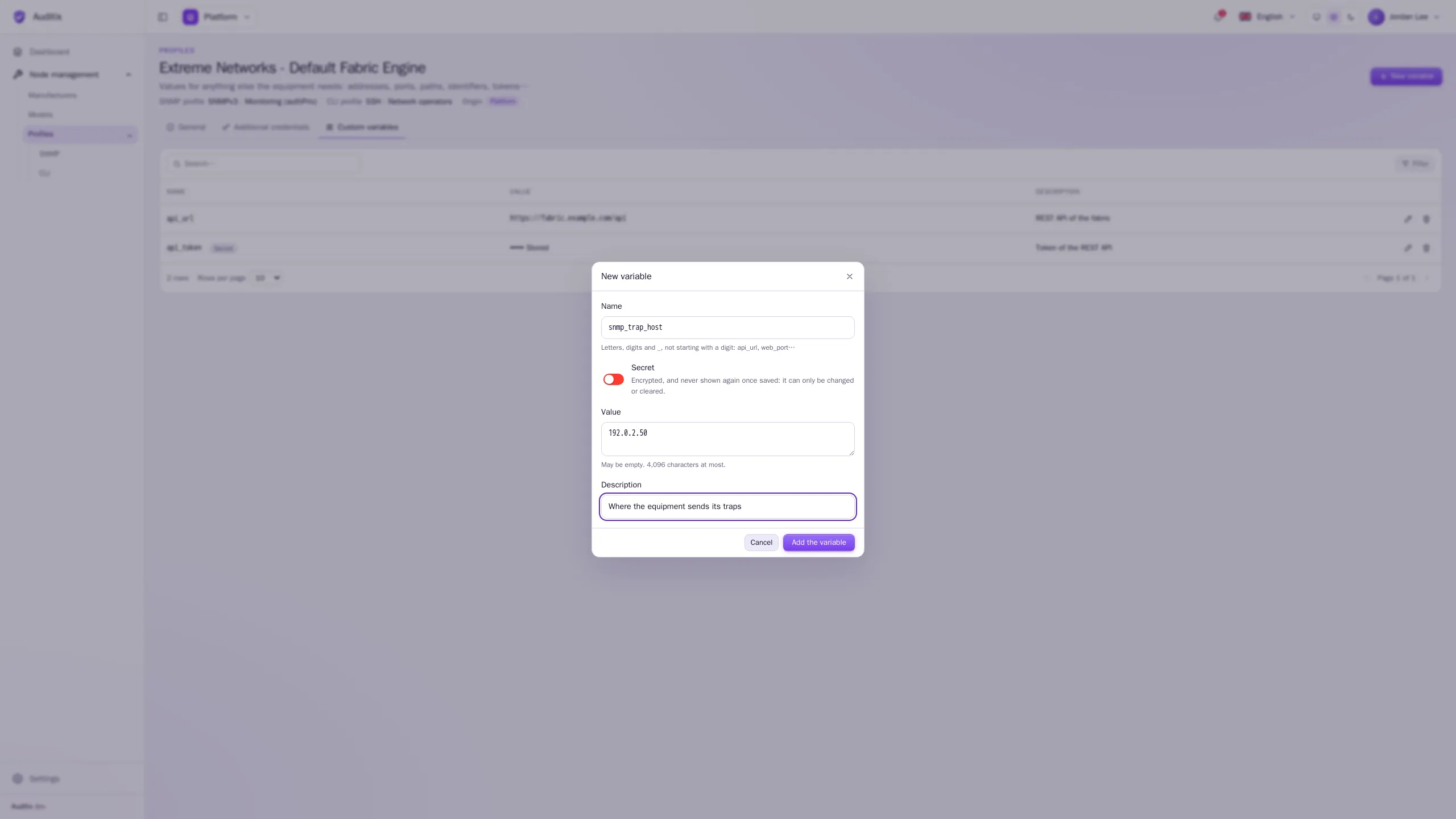
Fill in:
- Name: letters, digits and
_, not starting with a digit, unique in the profile (api_url,snmp_trap_host…; 64 characters at most); - Secret: switch it on for a password, a token or a key. The value is then encrypted, and never shown again once saved: it can only be changed or cleared;
- Value: may be empty, 4,096 characters at most;
- Description: what the value is for.
- Name: letters, digits and
-
Click Add the variable.
Example
Section titled “Example”The variables of the profile Extreme Networks - Default Fabric Engine, for the REST API of the switches,
with one more for their traps:
| Name | Value | Secret | Description |
|---|---|---|---|
api_url |
https://fabric.example.com/api |
Off | REST API of the fabric |
api_token |
s3cr3t-example |
On | Token of the REST API |
snmp_trap_host |
192.0.2.50 |
Off | Where the equipment sends its traps |
In the table, a secret variable shows the Secret badge and ••••• Stored instead of its value.
Values per tenant
Section titled “Values per tenant”When a profile is shared by the platform or installed by a package, a tenant cannot change its lists, but it can set its own values: the user name and password of an additional credential, the value of a custom variable. They are used instead of those of the profile in that tenant, and flagged Overridden. See Shared items & overrides.