SNMP profiles
An SNMP profile says how to talk SNMP to equipment: the version, the port and the credentials. Open Node management › Profiles › SNMP. SNMP profiles are then used by profiles; the same SNMP profile can serve several profiles.
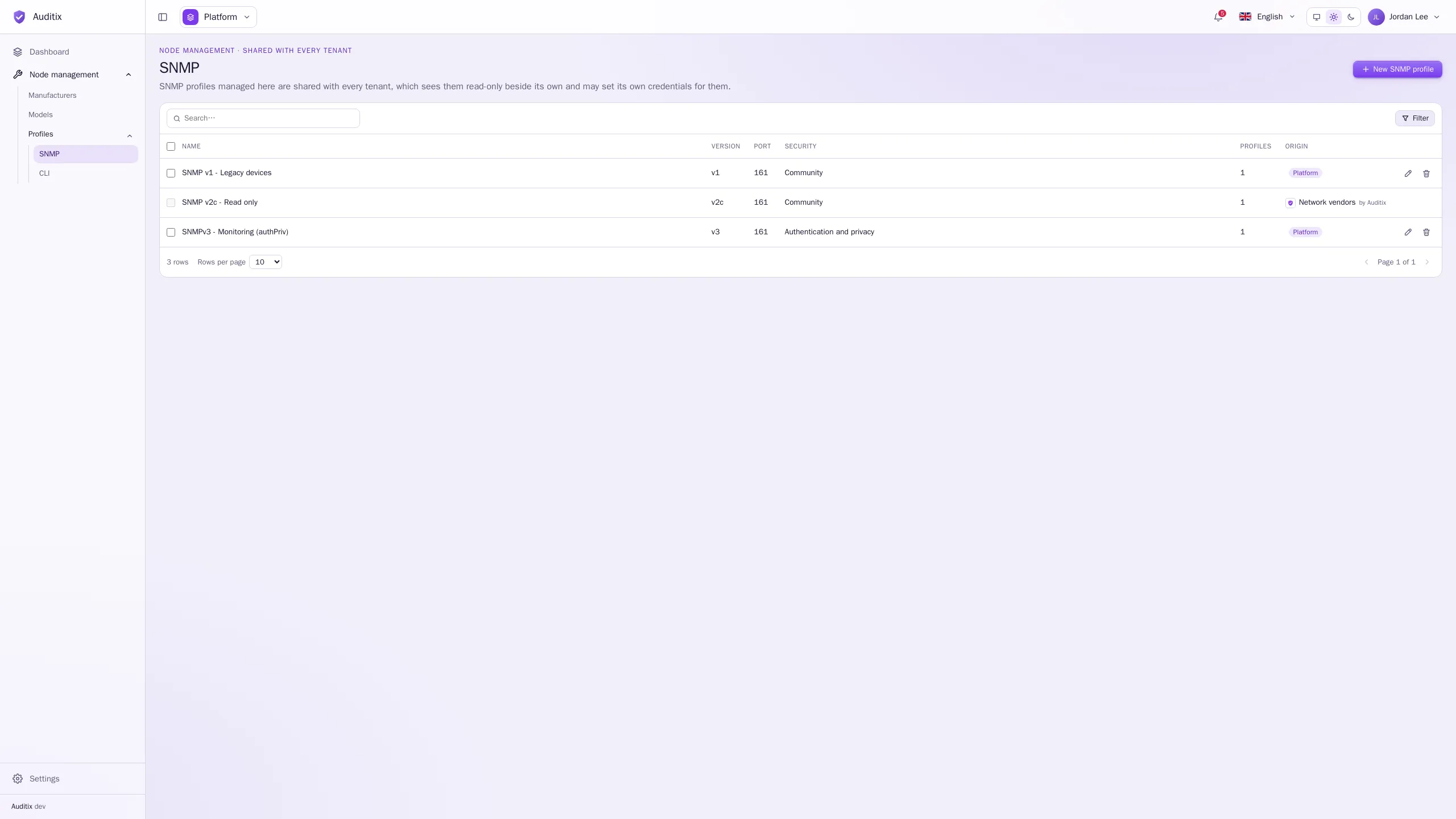
The table shows each profile’s Name, Version, Port, Security (Community for v1 and v2c, the security level for v3), how many Profiles use it, and its Origin. A tenant that set its own credentials for a shared profile sees it flagged Overridden.
Create an SNMP profile
Section titled “Create an SNMP profile”-
Click New SNMP profile.
-
Give it a Name and, optionally, a Description.
-
Choose the Version (v1, v2c or v3) and the Port (161 by default), then fill in the credentials of that version (see below).
-
Click Create the SNMP profile. It opens on its page, with a General tab (name, description) and a Credentials tab (version, port and credentials).
Fields that do not apply to the version or security level chosen are not shown, and are cleared when you save.
The settings, by version
Section titled “The settings, by version”| Field | What to type |
|---|---|
| Community | The SNMP community configured on the equipment. |
Example: Version v1, Port 161, Community legacy-example (the profile SNMP v1 - Legacy devices).
| Field | What to type |
|---|---|
| Security name | The SNMPv3 user. |
| Security level | No authentication (noAuthNoPriv), Authentication (authNoPriv) or Authentication and privacy (authPriv). |
| Authentication protocol | MD-5, SHA, SHA-224, SHA-256, SHA-384 or SHA-512 (with Authentication or Authentication and privacy). MD-5 and SHA are shown as MD5 and SHA-1 in the marketplace package editor. |
| Authentication password | 8 to 255 characters. |
| Privacy protocol | DES, AES-128, AES-192 or AES-256 (with Authentication and privacy only). |
| Privacy password | 8 to 255 characters. |
| Context name | Optional: the SNMPv3 context to query. |
Example: SNMPv3 with authentication and privacy
Section titled “Example: SNMPv3 with authentication and privacy”A read-only monitoring user, with SHA-256 authentication and AES-128 encryption:
| Field | Value |
|---|---|
| Name | SNMPv3 - Monitoring (authPriv) |
| Version | v3 |
| Port | 161 |
| Security name | monitoring |
| Security level | Authentication and privacy |
| Authentication protocol | SHA-256 |
| Authentication password | s3cr3t-example |
| Privacy protocol | AES-128 |
| Privacy password | s3cr3t-example |
| Context name | (empty) |
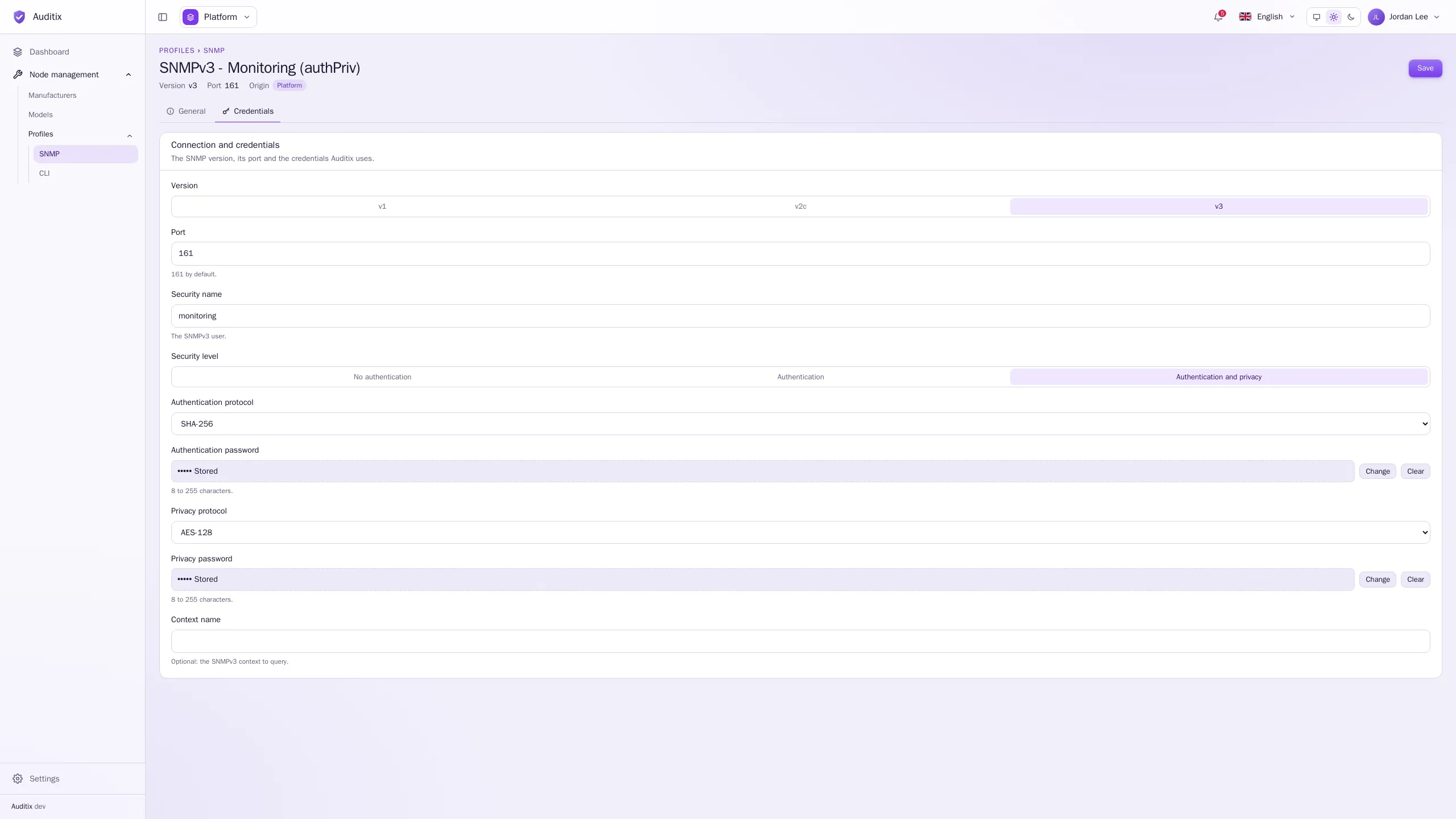
The matching configuration on the equipment uses the same user, protocols and passwords. On a Cisco IOS switch, for example:
snmp-server group AUDITIX v3 privsnmp-server user monitoring AUDITIX v3 auth sha256 s3cr3t-example priv aes 128 s3cr3t-exampleSecrets are write-only
Section titled “Secrets are write-only”The community and the passwords are encrypted when saved and never shown again. A stored secret shows as ••••• Stored with two buttons:
- Change: type a new value (Keep the stored value cancels);
- Clear: remove it when you save (Undo cancels).
Edit or delete an SNMP profile
Section titled “Edit or delete an SNMP profile”Click a row to open its page. The bin of a row deletes it; an SNMP profile still used by profiles cannot be deleted. For a profile shared by the platform or installed by a package, a tenant can set its own security name and passwords: see Shared items & overrides.