Models
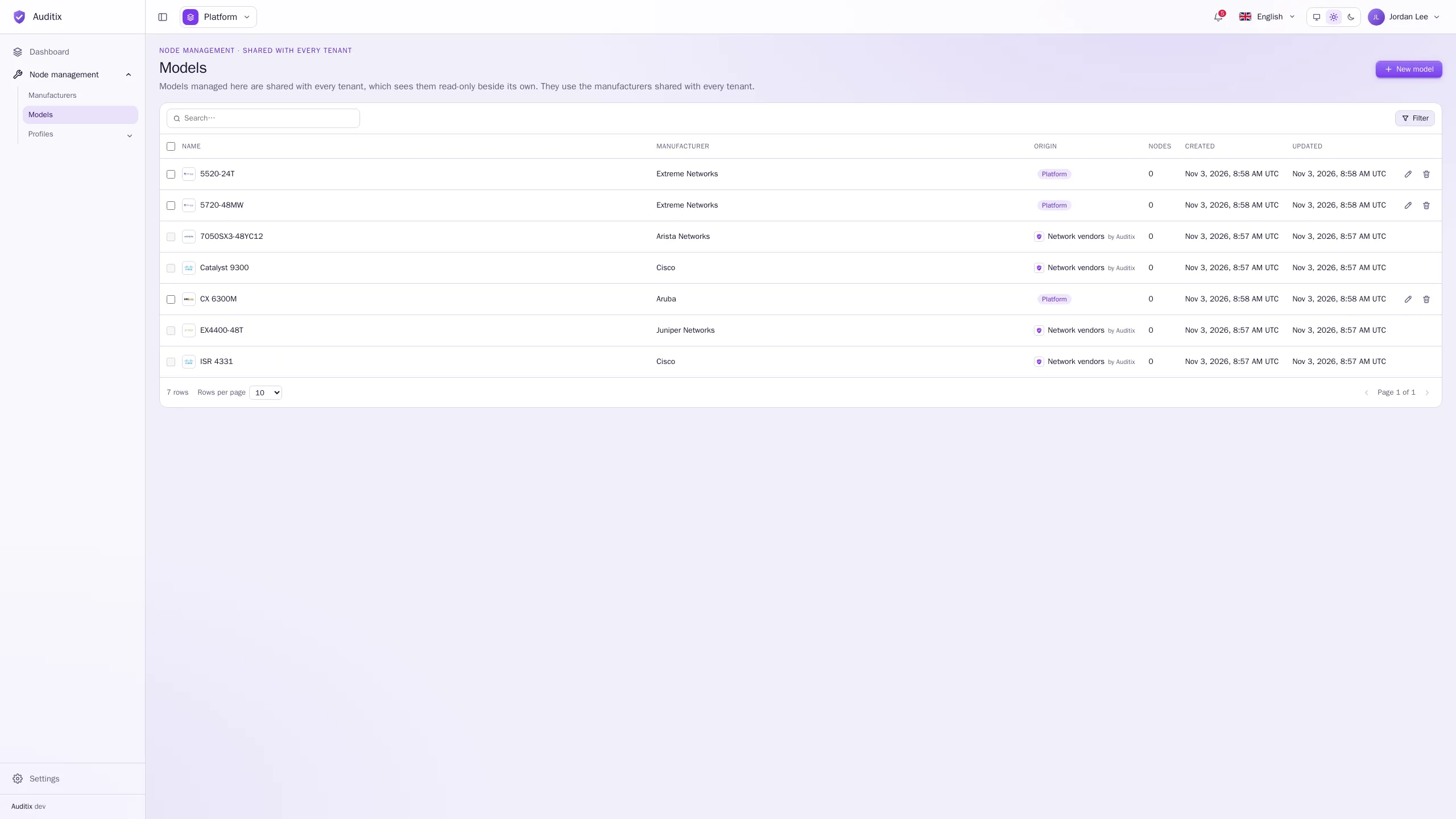
Models describe a kind of equipment of a manufacturer, and how to prepare a CLI session once connected to it. Open Node management › Models.
Create a model
Section titled “Create a model”-
Click New model.
-
Type its Name, choose its Manufacturer (its logo becomes the logo of the model) and, optionally, a Description.
-
Click Create the model. The model opens on its own page.
-
Open the Connection tab, set the Control key and the Connection script, then Save.
In a tenant, a model can use the tenant’s manufacturers and those the platform shares. In the platform view, a model uses the manufacturers shared with every tenant.
The model page
Section titled “The model page”The page of a model has two tabs, each saved with its own Save button:
- General: Name, Manufacturer, Description.
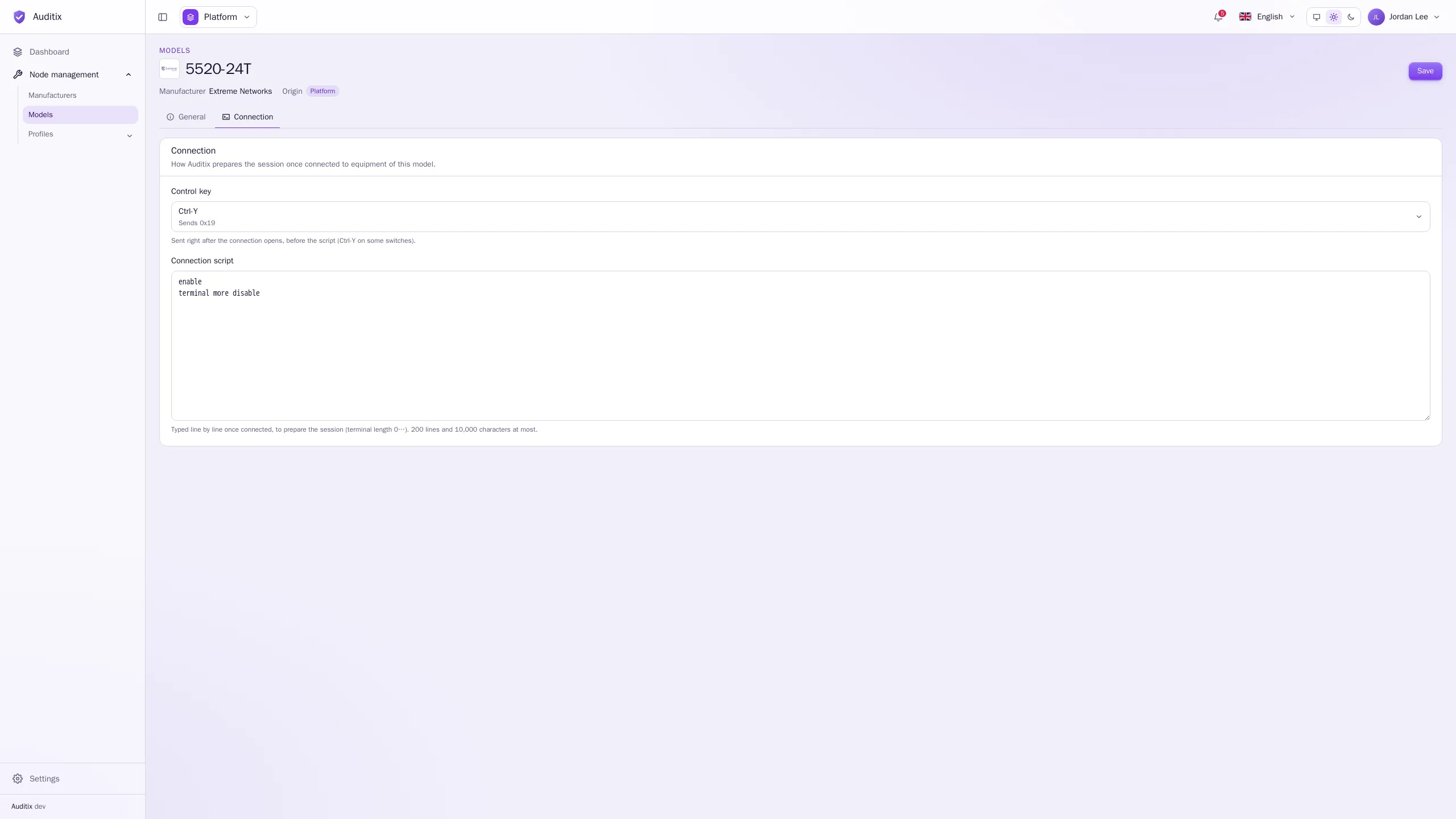
- Connection: how Auditix prepares the session once connected to equipment of this model.
Control key
Section titled “Control key”A control character sent right after the connection opens, before the script: None, or Ctrl-A to Ctrl-Z (the list shows the byte each one sends, such as Sends 0x19 for Ctrl-Y). Some switches wait for one before showing their prompt, such as Extreme Networks switches whose banner asks for Ctrl-Y.
Connection script
Section titled “Connection script”Lines typed one by one once connected (after the control key), to prepare the session: turn the pager off so that long outputs are not cut, widen the terminal, enter the privileged mode… At most 200 lines and 10,000 characters.
Examples for common equipment:
terminal length 0terminal width 512Control key: Ctrl-Y
enableterminal more disableset cli screen-length 0set cli screen-width 0terminal length 0terminal width 32767no pageEdit or delete a model
Section titled “Edit or delete a model”Click a row to open the model’s page; the bin of a row deletes it (type its name to confirm). A model still used by nodes cannot be deleted. Models shared by the platform are read-only inside tenants, and those of a package are read-only everywhere: their page opens without Save, and says why.