Audit log
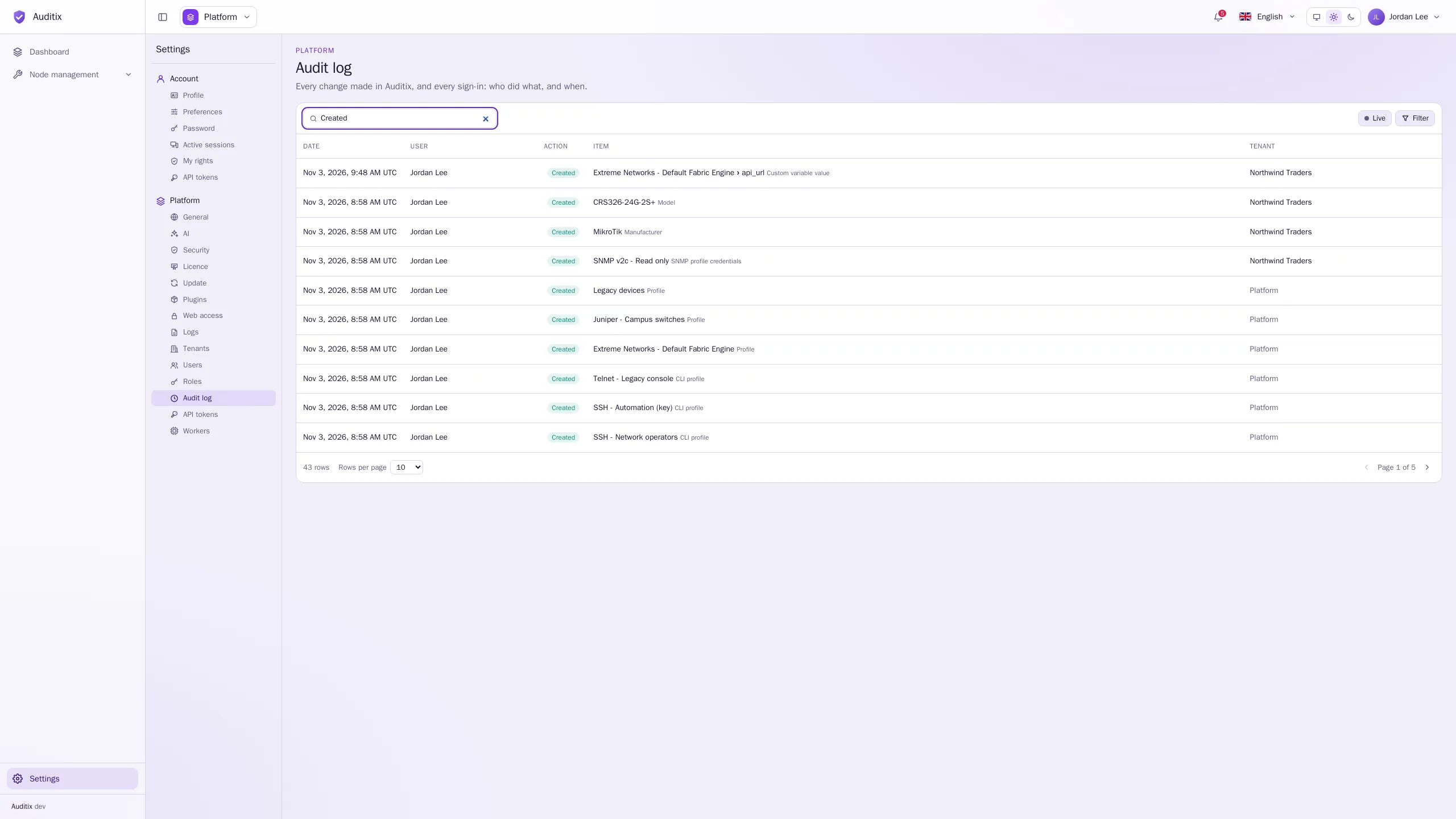
Every change made in Auditix is recorded: each creation, change and deletion, with its author, the date, the IP address and, field by field, the value before and after. Sign-ins are recorded too.
Where to read it
Section titled “Where to read it”| Page | Shows | Permission |
|---|---|---|
| Settings › Platform › Audit log | Everything, in every tenant and in the platform view | Audit log › View (platform) |
| Settings › Tenant › Audit log (or the Audit log tab of a tenant managed from the platform) | What happened in the tenant, and the sign-ins to it | Tenant › Audit log › View |
| Settings › Platform › Users, an account’s Activity tab | What the account did, and what was done to it | Audit log › View (platform) |
The table lists the Date, the User, the Action, the Item and the Tenant of each event, the newest first. Click an event to see its details: every Field with its value Before and After, and the IP address. Load older events goes further back; Filter narrows the list.
Click Live to see new events appear as they happen (click again to pause).
What is recorded
Section titled “What is recorded”- Changes: Created, Changed, Deleted on users, tenants, memberships, roles, agents, knowledge bases, manufacturers, models, SNMP and CLI profiles, profiles and the credentials set for them, plugins, API tokens, worker pools, platform settings.
- Operations: Run (a scheduled task or an update started by hand), Retried (a failed message).
- Sessions: Signed in, Switched tenant, Signed out (with its reason: signed out, ended from Active sessions, password changed, password reset, account disabled), Session expired, and Failed sign-in with the email typed and the reason (unknown account, wrong password, disabled account, invitation not accepted yet).
Actions made from the server’s command line show Command line as their user; actions made through the API name the API token.
Retention
Section titled “Retention”Events are kept 30 days by default, then deleted automatically. Change it in Settings › Platform › General › Data retention › Retention (days).
To keep the audit trail longer, or in your SIEM, send it to a syslog server: Settings › Platform › Logs, source Audit log (see Settings).