Platform
Created in the platform view by a platform administrator. Shared with every tenant, which sees it read-only beside its own items.
Auditix is a platform to audit, inventory and monitor network equipment. You install it on your own server, give it a licence, and describe the equipment you work with: who makes it, which models exist, and how Auditix reaches each of them (SNMP, SSH or Telnet, with the right credentials). Packages from the Auditix marketplace can bring that knowledge ready-made, as plugins.
This page explains the few ideas the rest of the guide relies on.
A tenant is an isolated organization inside one Auditix installation: a company, a customer, a site. Each tenant has its own members, roles, settings, audit log and data. What happens in one tenant is never visible from another.
Platform administrators manage the installation itself: its settings, every account and every tenant. They can enter any tenant, and they also have a place of their own outside any tenant: the platform view, shown as Platform at the top of the tenant switcher.
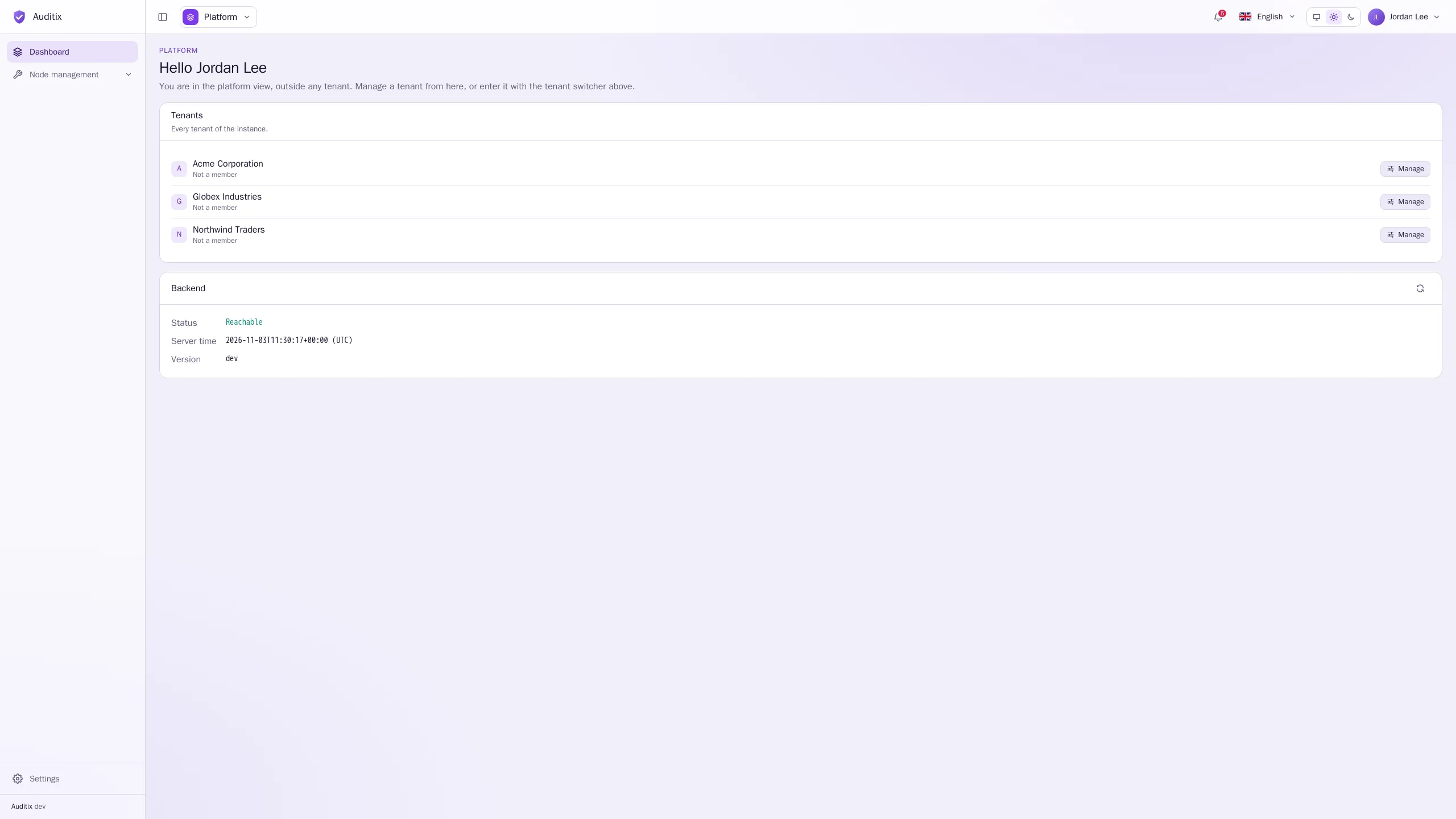
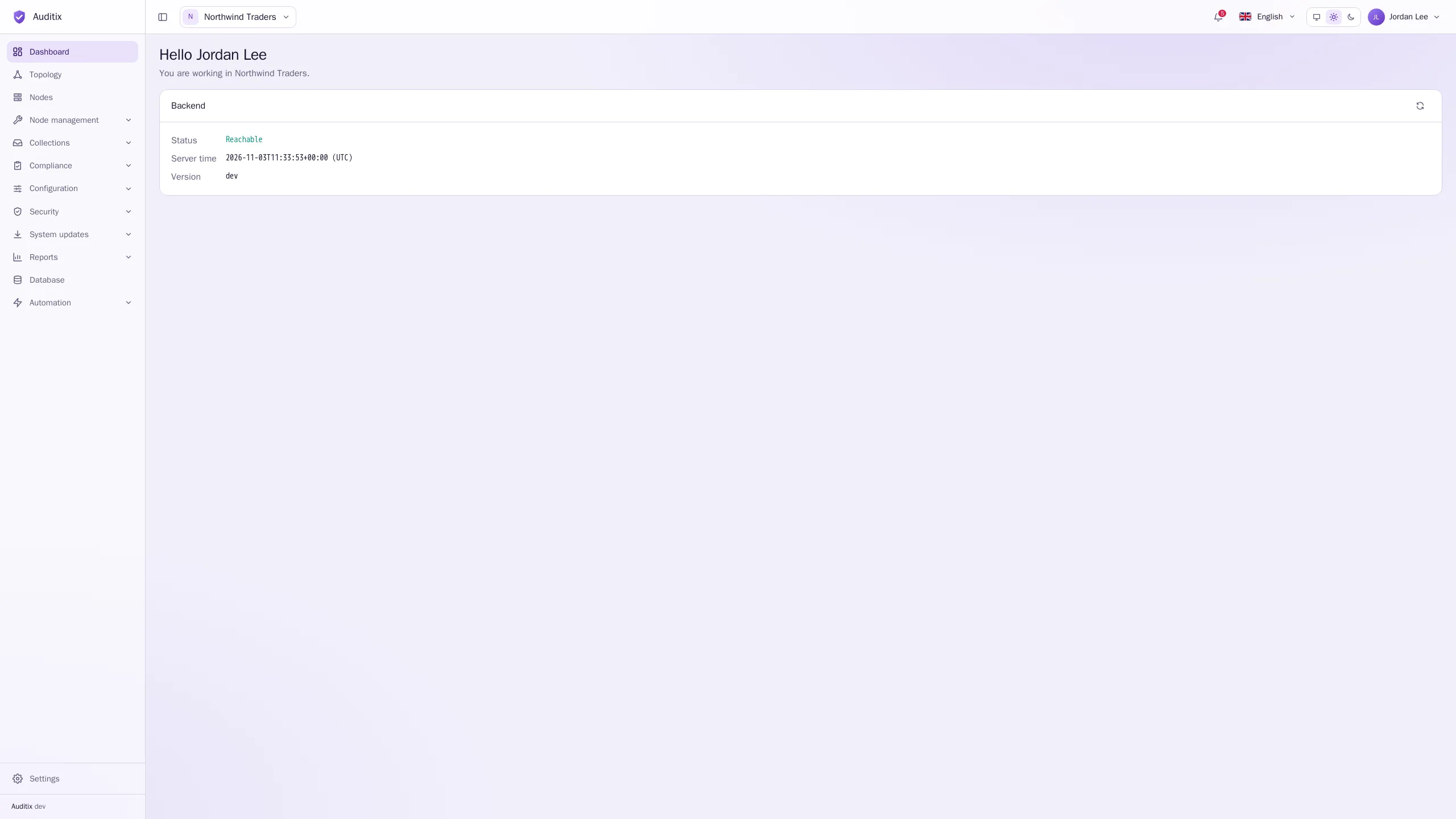
In the platform view, the menu is short: the platform Dashboard (every tenant, with a Manage button for each) and Node management, where platform administrators manage the manufacturers, models and profiles shared with every tenant. Inside a tenant, the menu shows everything the tenant holds.
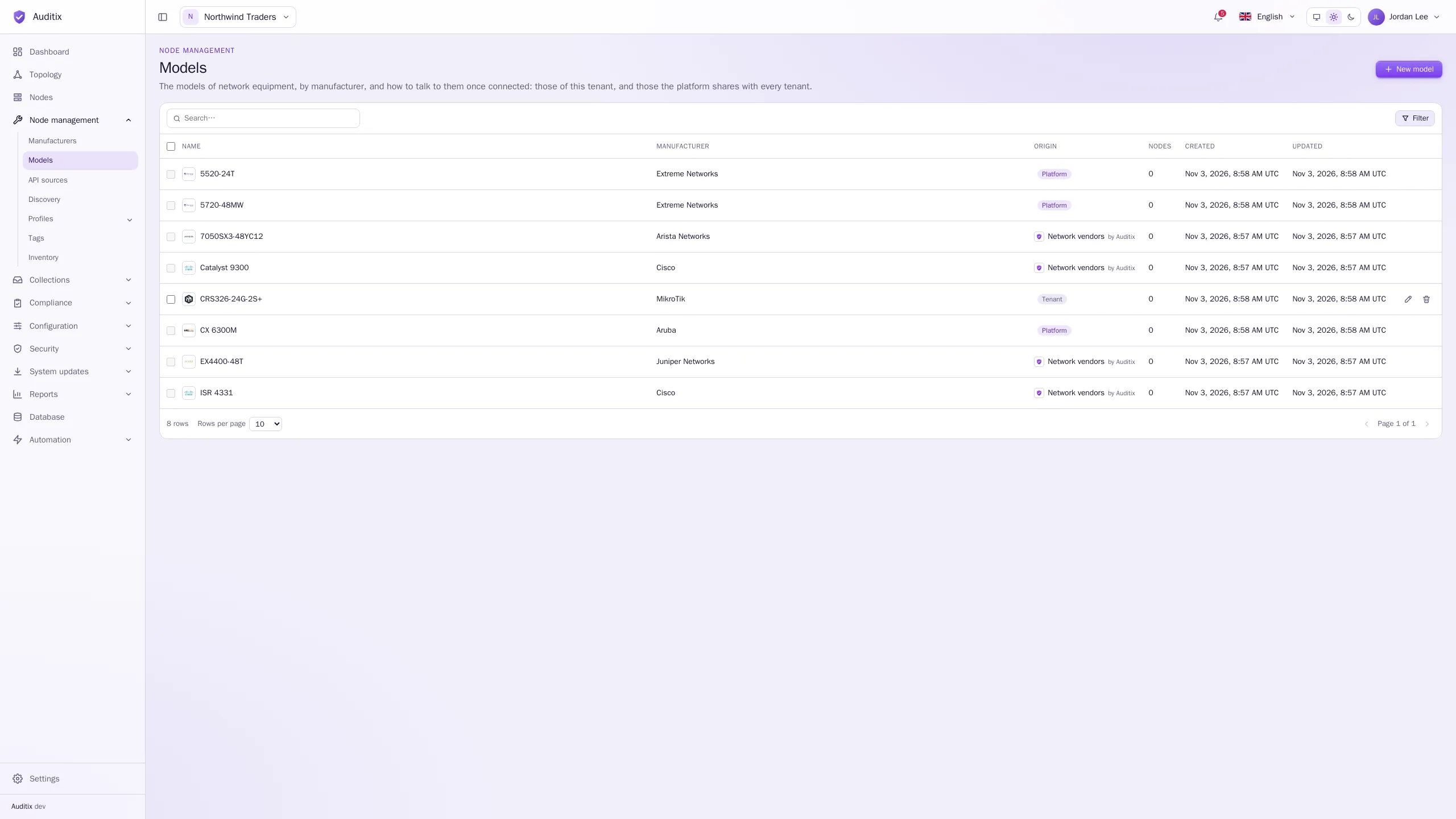
Manufacturers, models and profiles carry an Origin, shown as a column in every list and on the page of each item:
Platform
Created in the platform view by a platform administrator. Shared with every tenant, which sees it read-only beside its own items.
Tenant
Created inside a tenant. It belongs to that tenant only, and its members with the right permissions can change or delete it.
Plugin
Installed by a marketplace package. The column shows the package and its publisher (“Network vendors by Auditix”). It follows its package and cannot be changed by hand.
An item you cannot change opens read-only, with a message saying why, for example:
For SNMP and CLI profiles and for profiles you cannot change, a tenant can still set its own credentials and values: see Shared items & overrides.