Shared items & overrides
Manufacturers, models and profiles can come from three places (their Origin): the Platform, the Tenant itself, or a Plugin. A tenant sees all three side by side, but only changes its own.
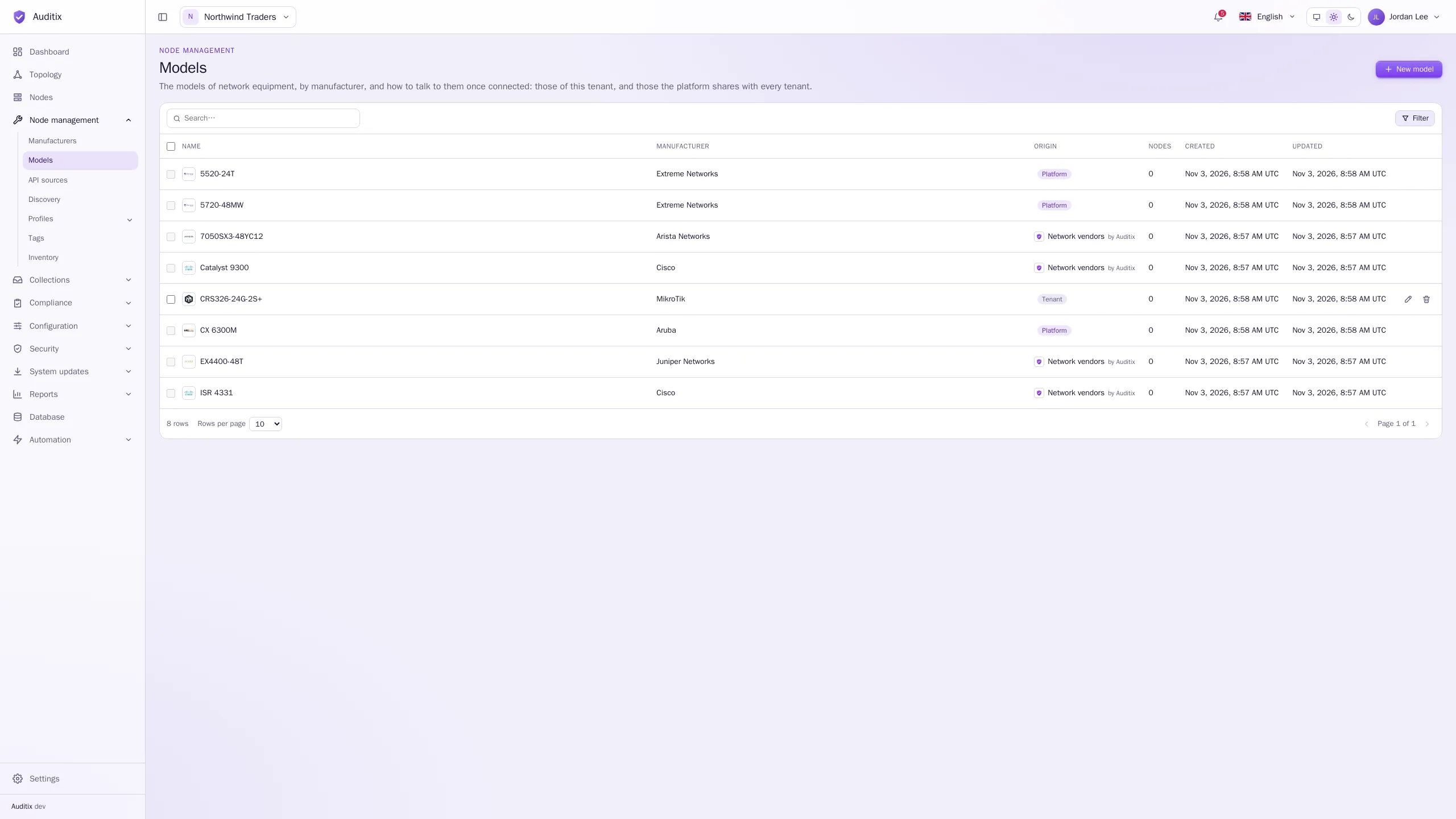
What can be changed where
Section titled “What can be changed where”| Origin | In the platform view | Inside a tenant |
|---|---|---|
| Platform | Created, changed, deleted | Read-only |
| Tenant | Not shown | Created, changed, deleted by the tenant |
| Plugin, installed for the whole platform | Read-only | Read-only |
| Plugin, installed for a tenant | Not shown | Read-only |
An item you cannot change opens read-only (its page without Save, or a window without edit and delete actions), with a message saying why. Its rows cannot be selected for bulk deletion. Items of a package change only when the package is updated (see Plugins).
Overrides: your own credentials for a shared profile
Section titled “Overrides: your own credentials for a shared profile”A shared SNMP or CLI profile, or a profile, rarely comes with your credentials: a package only brings the vendor’s defaults, and the platform’s values may not suit every tenant. So, for an item it cannot change, a tenant can set its own credentials, used instead of the item’s in that tenant only.
| Item | What a tenant can set |
|---|---|
| SNMP profile | Security name, Community, Authentication password, Privacy password (those of its version) |
| CLI profile | User name, Password, or Private key and Key passphrase, Enable password |
| Profile | The user name and password of each additional credential, the value of each custom variable |
-
Inside the tenant, open the shared item, then its Credentials tab (for a profile: its Additional credentials or Custom variables tab, and the pencil of an entry).
-
The values of the item are shown read-only under Values of the profile. Under Credentials for this tenant, type your own values. Leave a field empty to use the value of the profile, shown under the field (Profile value: …).
-
Click Save.
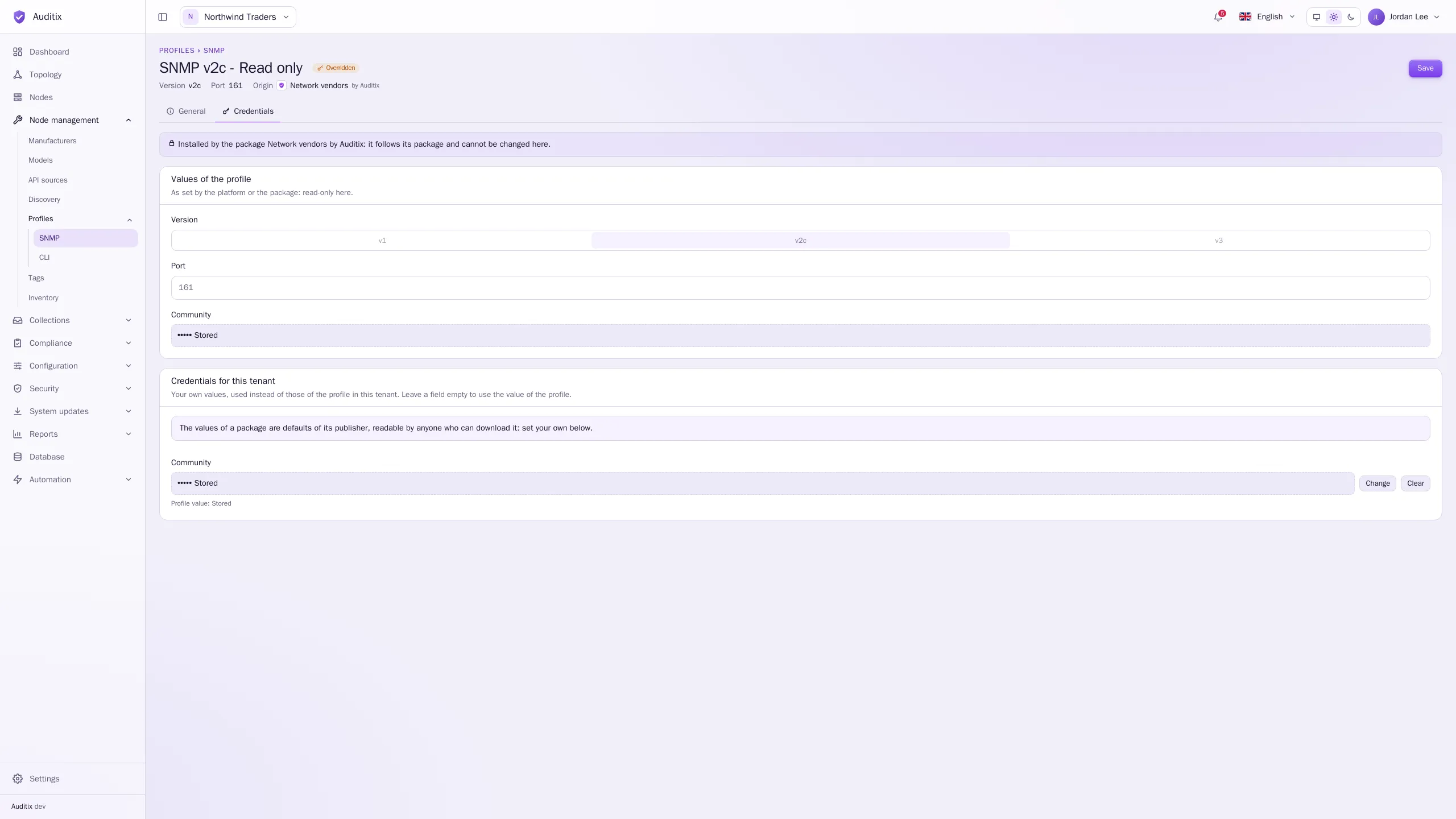
The item is then flagged Overridden in the tables:
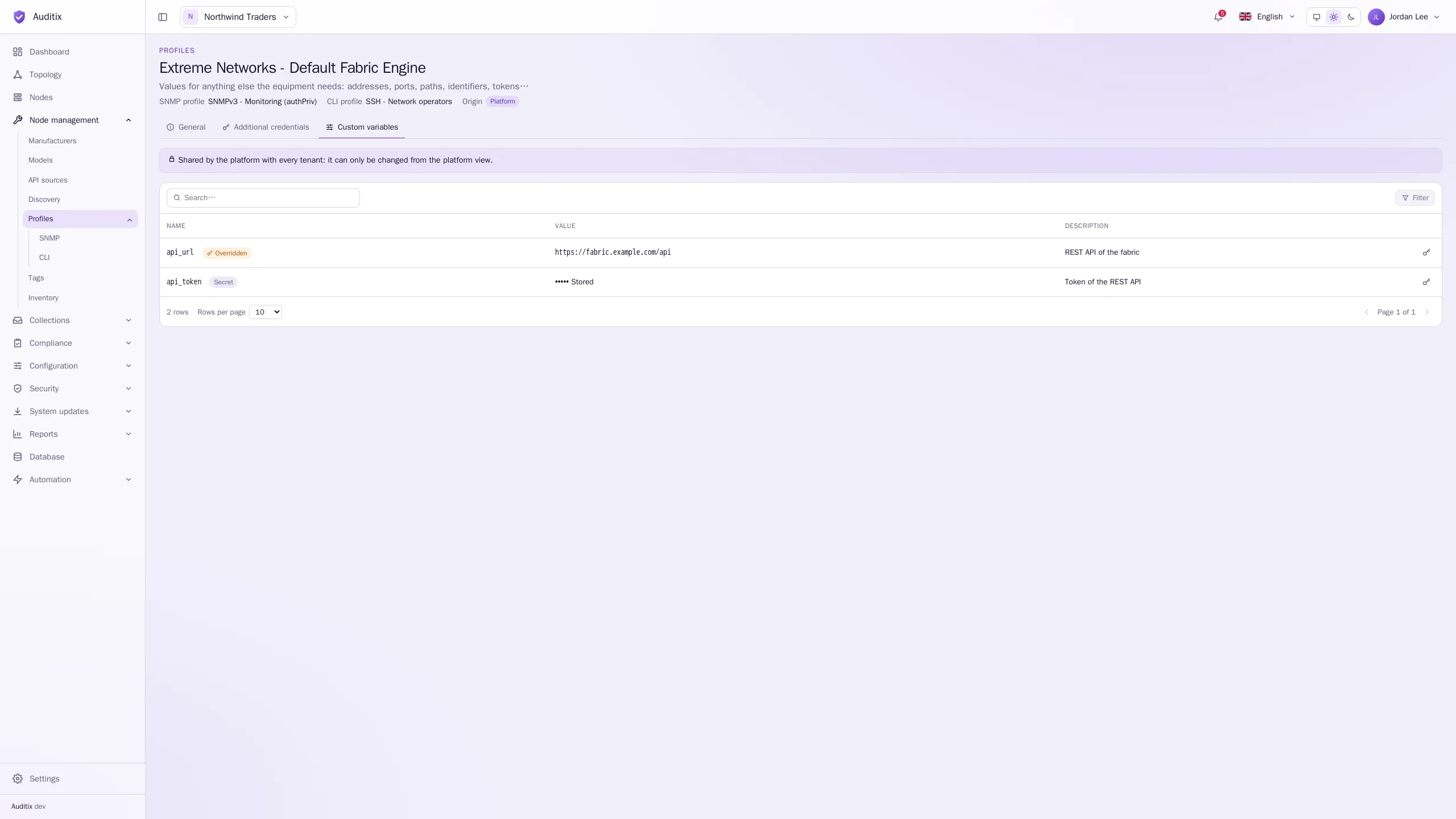
Setting credentials needs the Edit permission of Node management › Profiles.
The platform’s values for a package
Section titled “The platform’s values for a package”In the platform view, platform administrators can do the same for the items of a package installed for the whole platform: Credentials for the platform are used in every tenant, unless a tenant sets its own.
Which value applies
Section titled “Which value applies”For each field, the first value set wins:
- the value set by the tenant;
- the value set by the platform (for items of a platform package);
- the value of the item itself.
Overrides survive the updates of a package, as long as the package keeps the item (or the entry). They are deleted with the item.