Connecting an instance
A connected platform is paired with the marketplace once, with a short code, and then:
- gets its licence by itself and checks it every day (a renewed, changed or revoked licence reaches it within a day);
- reports its usage (tenants, users, devices), shown on the licence page;
- browses the marketplace packages and installs them and their updates without downloading files by hand. It sees the public packages, and the private or shared packages of the holder of its licence (for an organization: those of the organization, of the organizations above and below it, and the packages shared with them). A licence no longer valid sees the public packages only.
Pairing a platform
Section titled “Pairing a platform”- On the platform, open Settings › Platform › Licence and start the connection. It shows a code
such as
ABCD-EFGHand the address of the marketplace page to open. - On the marketplace, signed in, open Licences › Connect a platform (or the address the platform shows, which fills in the code). Enter the Code and select Continue.
- Check the Platform asking: its name, instance id and version, and when the request ends.
- In Licence to give it, choose one of your licences (listed with tier, holder and serial number), or A new free Community licence. For a new Community licence, choose its holder in Holder of the new Community licence (Myself or one of your organizations).
- Select Connect. The platform is connected: it gets its licence within a few seconds.
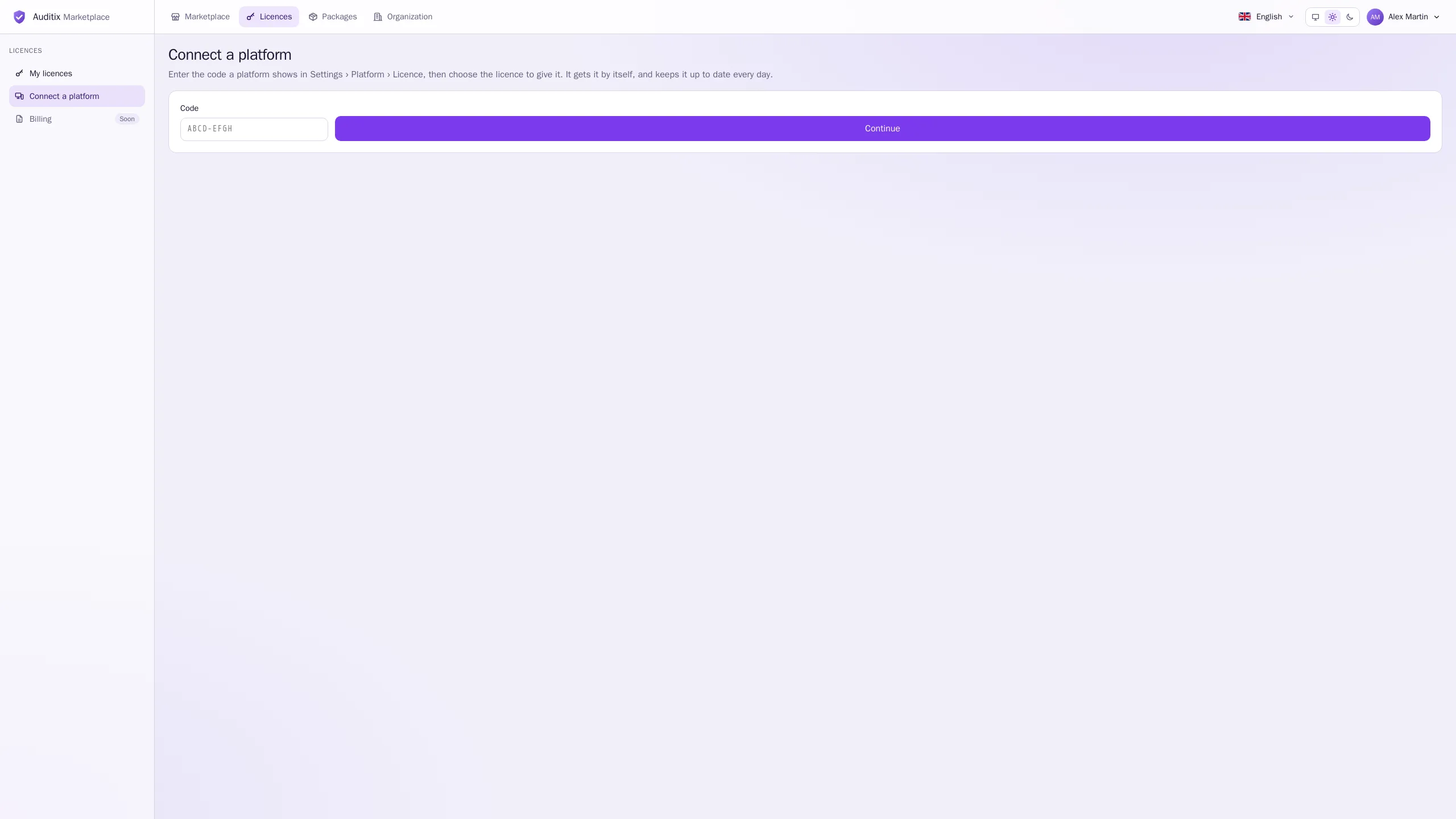
If the request is not yours or not expected, select Refuse.
A pairing request lasts 15 minutes. After that, the page says This request has ended: start again from the platform. Once refused, it says This request was refused.
On the licence page
Section titled “On the licence page”A connected platform is listed under Platforms with the Connected mode, its Last check and its Usage.
Disconnecting
Section titled “Disconnecting”- From the marketplace: Deactivate the platform on the licence page. The platform leaves the connected mode at its next contact and keeps its last licence file until it ends.
- From the platform: disconnect it in its settings. The licence stays activated as an offline one until its file ends or you deactivate it.
A marketplace that cannot be reached never stops a platform: its licence file stays valid until it ends. See Licence activation and Installing packages in the platform guide.