Serial numbers
Every licence has a serial number of the form AX-XXXX-XXXX-XXXX, for example
AX-7K3M-Q9TZ-4HWR. It is given when the licence is made and never changes.
- It uses digits
2–9and capital letters exceptIandO, so it is easy to read out and type: there is no0/Oor1/Ito confuse. - It names the licence everywhere: in the Licences list, on the licence page, on the platform (Settings › Platform › Licence), on invoices and when you talk to support.
- Several platforms activated with the same licence show the same serial number.
Finding a serial number
Section titled “Finding a serial number”- Licences › My licences: the Serial number column.
- The licence page: under its title.
- When you connect a platform, each licence offered is listed with its tier, holder and serial number.
Select the copy button next to a serial number (Copy the serial number) to put it in the clipboard.
The licence page
Section titled “The licence page”Select a licence in the list to open it.
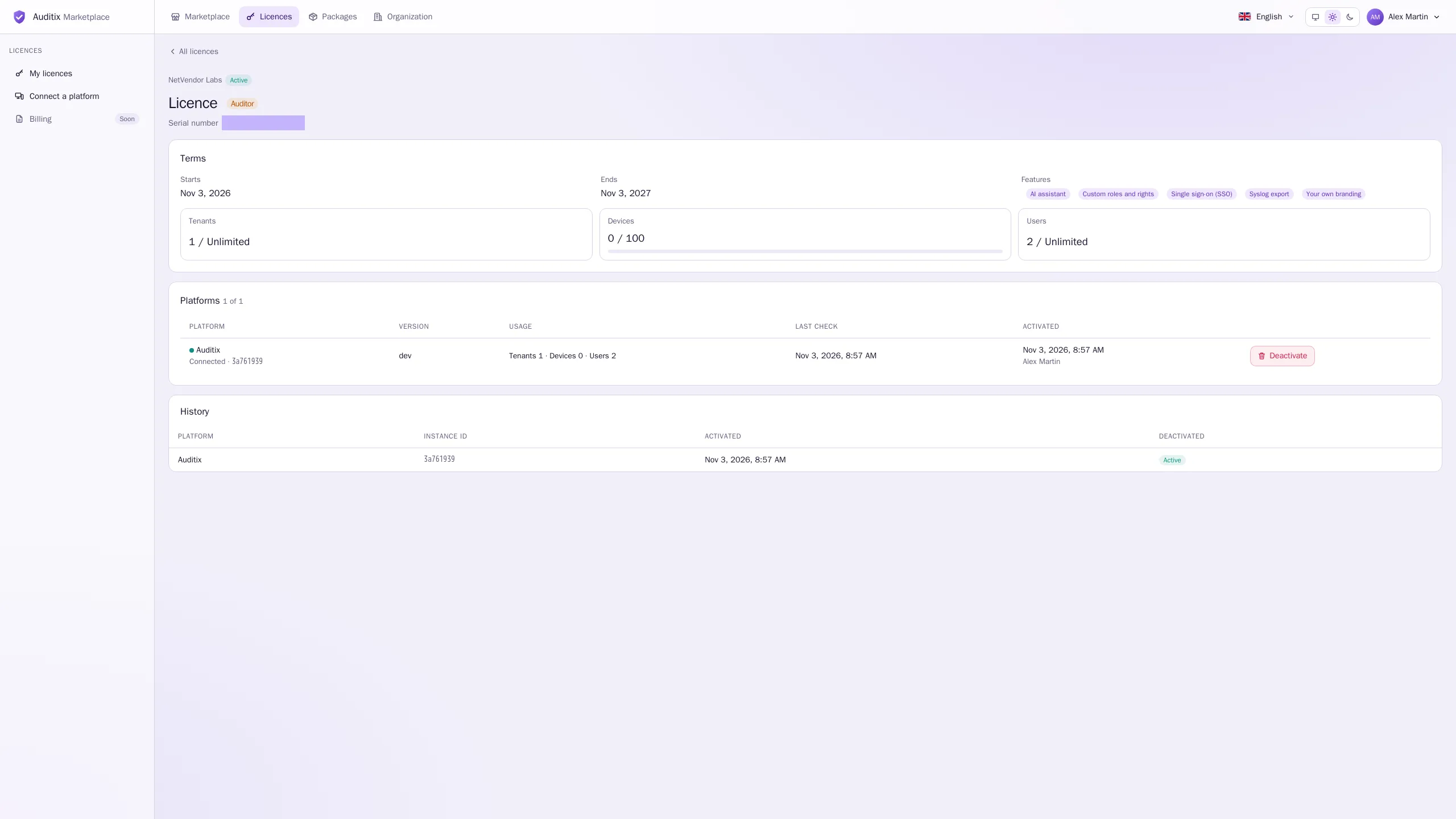
- Terms: Starts, Ends (or No end), Features, and the Tenants, Devices and Users limits. When the licence is activated on one platform, the usage that platform reports is shown against each limit.
- Platforms (used of max): each platform the licence is activated on, with its name, Connected or Offline mode, short instance id, Version, Usage, Last check and when and by whom it was Activated. Holders who manage the licence can Deactivate it there.
- History: every platform the licence has been activated on, with the dates of activation and deactivation.