The package editor
Opening a package from Packages (or Edit on its catalogue page) opens the editor. Its sidebar replaces the one of the application:
- My packages to go back, the Package picker (choosing another package opens the same section of it), and the save status: Saved, Saving…, Offline: changes are kept or Not saved yet: retrying;
- the sections, organised like the tenant menu of the platform: Overview, Node management (Manufacturers, Models, Profiles with SNMP and CLI; the entries marked Soon come in a later version), then Versions;
- Settings at the bottom.
Editing together, live
Section titled “Editing together, live”There is no Save button in the editor: every change is saved as you type. Several editors can work on the same package at once; their changes appear as they type, the sidebar shows who is editing, and a field someone else is editing is outlined in their colour. If your connection drops, your changes are kept and sent when it comes back.
Your changes do not reach platforms until you publish a version: the head of every section shows Unpublished changes when the content differs from the last version.
Lists and item pages
Section titled “Lists and item pages”Each part of the content is a table with a search box: Manufacturers, Models, SNMP profiles, CLI profiles and Profiles. Select rows to remove several items at once. The New … button at the top asks for a name (and a few essentials), then opens the new item’s page, where everything else is filled in, tab by tab.
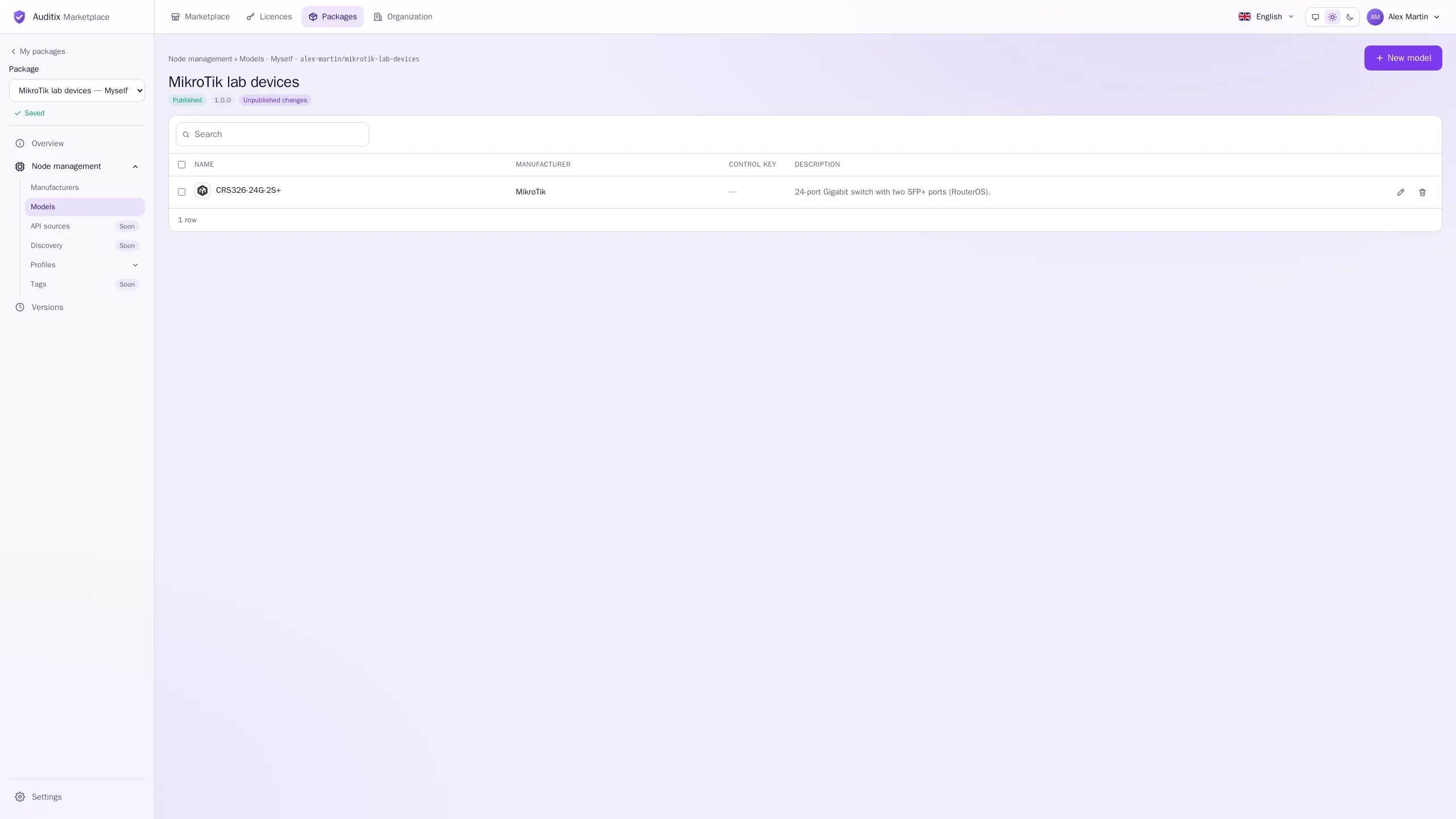
Manufacturers
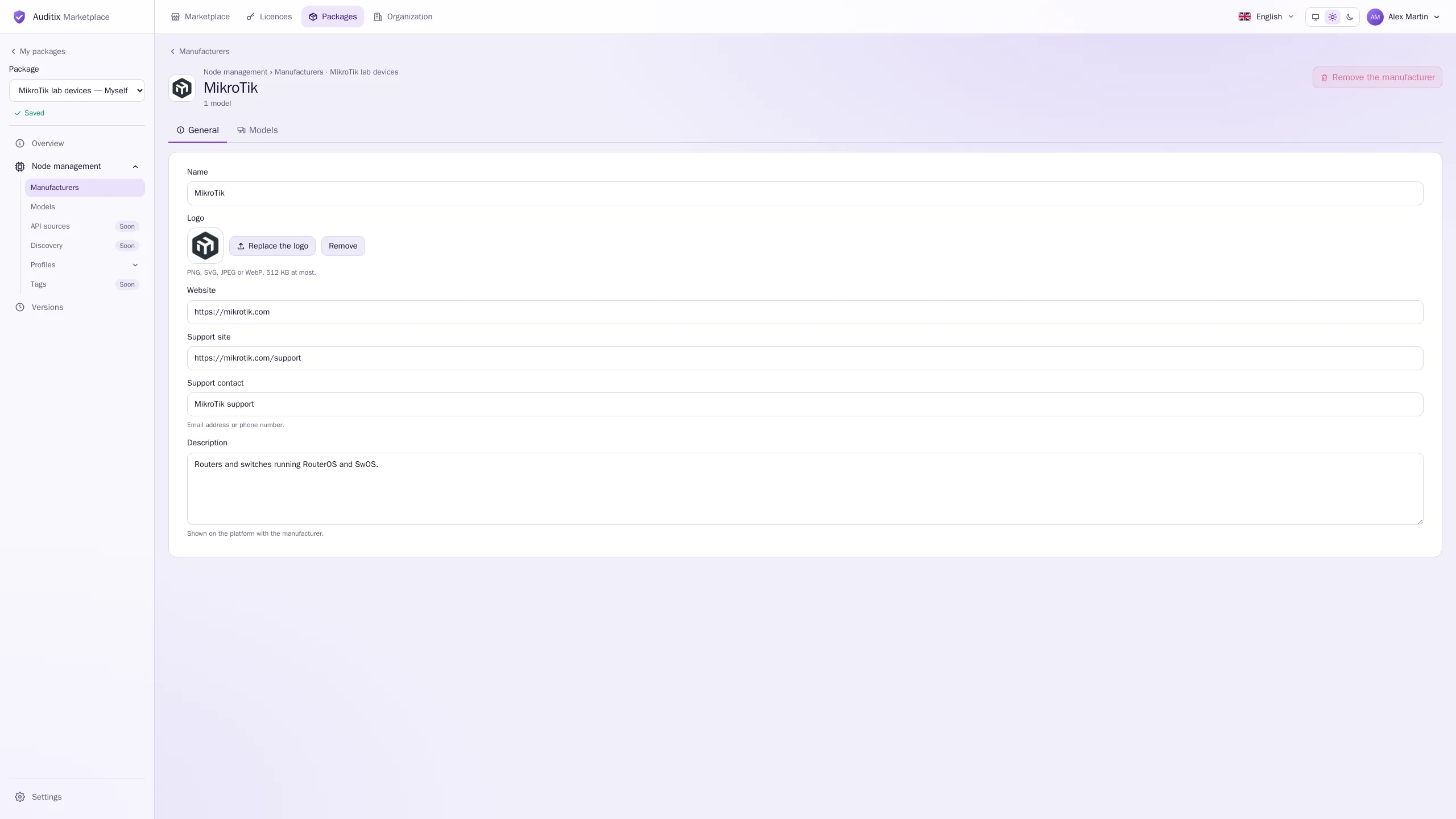
Section titled “Manufacturers”A manufacturer is a vendor of network equipment, such as MikroTik. New manufacturer asks for its name. Its page has two tabs, General and Models.
| Field | Content |
|---|---|
| Name | Required. |
| Logo | PNG, SVG, JPEG or WebP, 512 KB at most. Also shown for its models. |
| Website | https://www.example.com |
| Support site | https://support.example.com |
| Support contact | Email address or phone number: support@example.com |
| Description | Shown on the platform with the manufacturer. |
A manufacturer used by models cannot be removed: give them another manufacturer or remove them first.
Models
Section titled “Models”A model is a kind of equipment of a manufacturer of the package, such as CRS326-24G-2S+. New model asks for its Name and Manufacturer (add a manufacturer first: Every model belongs to a manufacturer). Its page has two tabs:
- General: Name, Manufacturer (its logo is the logo of the model), Description.
- Connection: how the platform behaves once it has opened a CLI session on the equipment.
| Field | Content |
|---|---|
| Control key | None, or a control character from Ctrl-A to Ctrl-Z, sent right after the connection is opened, before the script. Some switches wait for Ctrl-Y at their banner. |
| Connection script | Lines typed one by one once connected, after the control key: typically commands that turn paging off. 200 lines and 10 000 characters at most. |
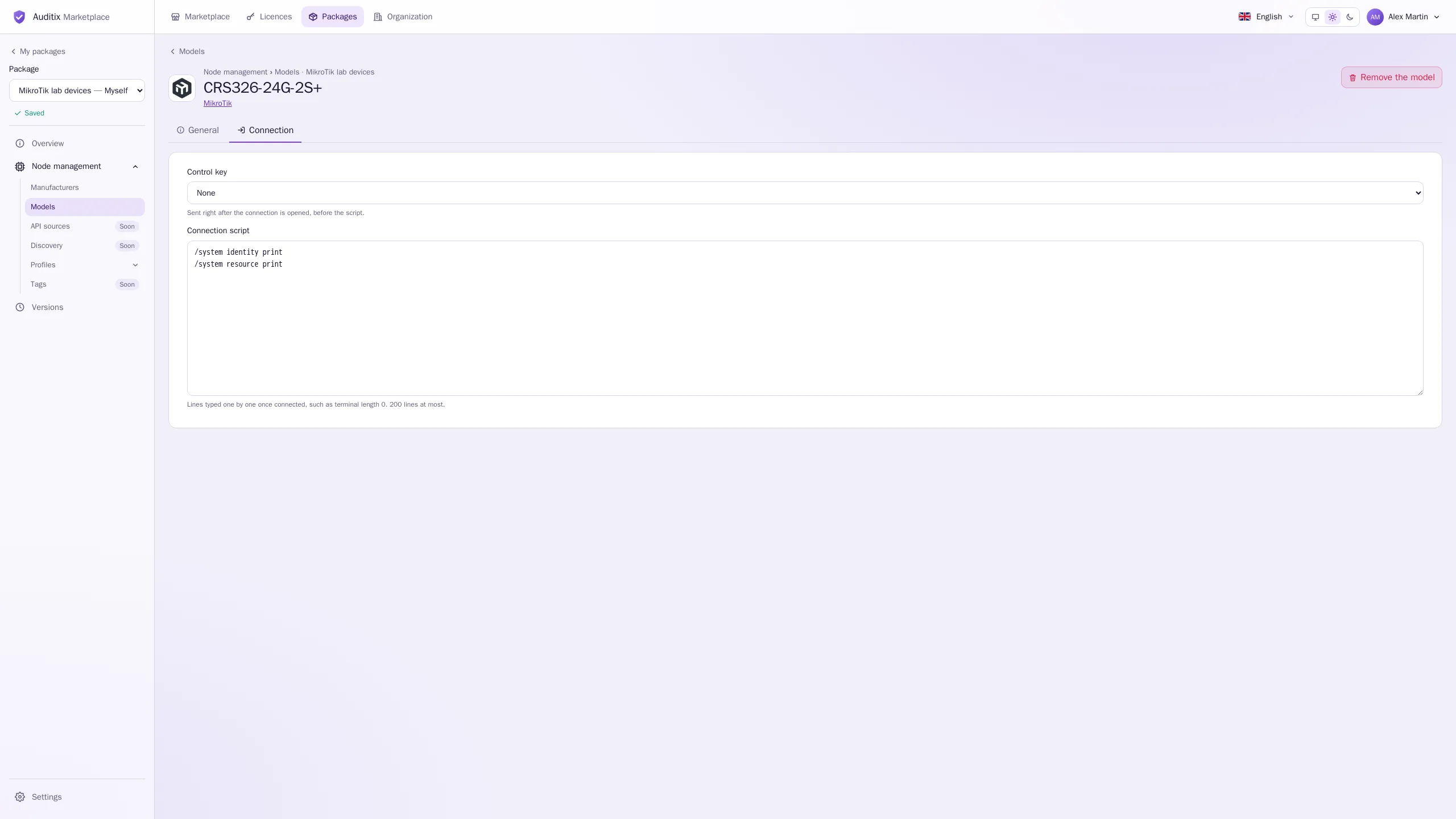
Example of a connection script for a switch that needs the privileged mode and no paging:
enableterminal more disableFor another vendor it could be a single terminal length 0.
SNMP profiles
Section titled “SNMP profiles”How platforms talk SNMP to the equipment. New SNMP profile asks for its name and Version (SNMPv1, SNMPv2c or SNMPv3). Its page has two tabs:
- General: Name, Version, Port (empty: 161), Description.
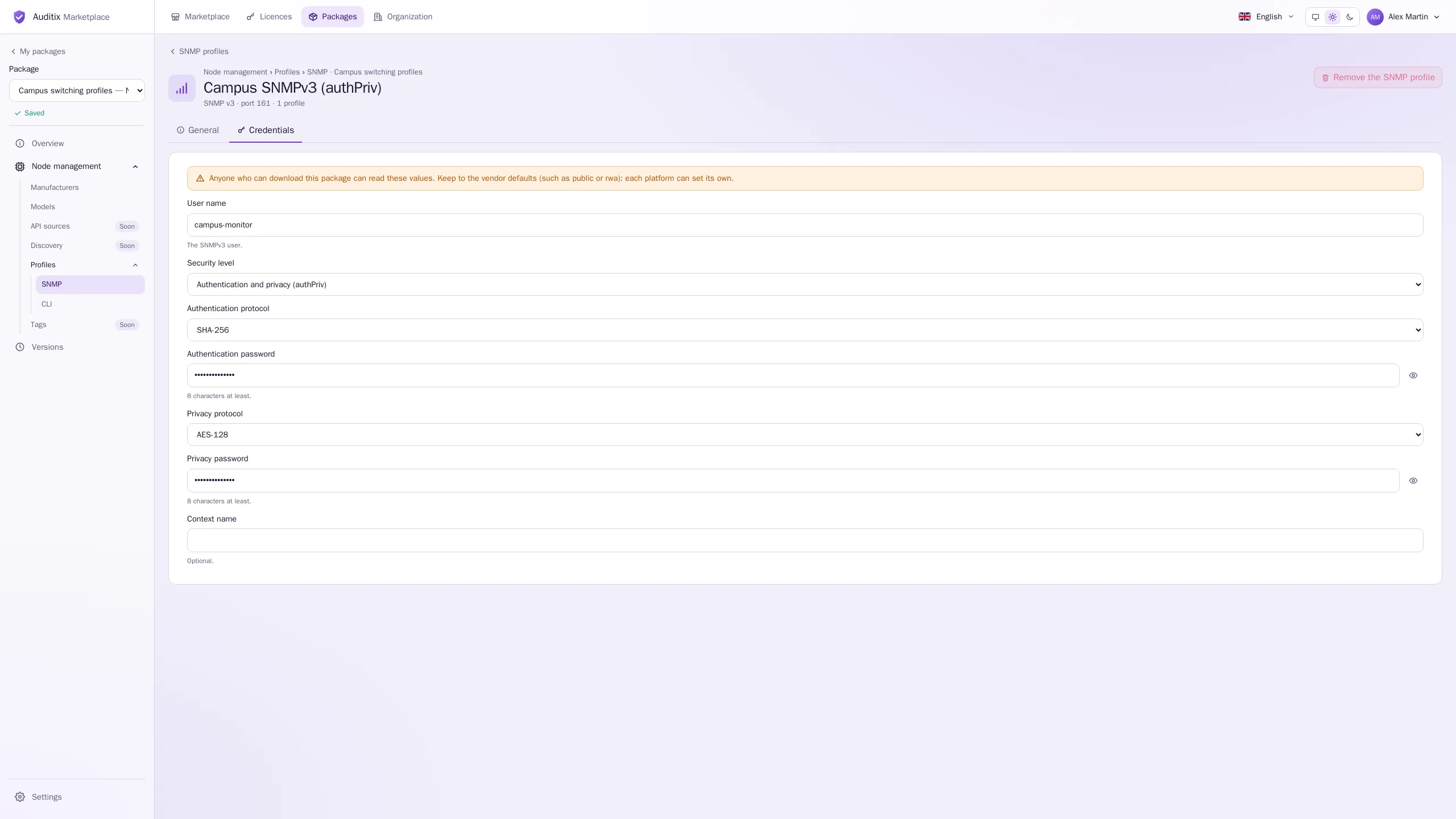
- Credentials: depends on the version. Fields that do not apply are hidden and cleared.
| Field | Example |
|---|---|
| Community | public (sent in clear text by SNMPv1 and v2c) |
| Field | Example |
|---|---|
| User name | snmpadmin (the SNMPv3 user) |
| Security level | Authentication and privacy (authPriv); also noAuthNoPriv and authNoPriv |
| Authentication protocol | SHA-256 (MD5, SHA-1, SHA-224, SHA-384, SHA-512 also offered; the platform shows MD5 and SHA-1 as MD-5 and SHA) |
| Authentication password | s3cr3t-example, 8 characters at least |
| Privacy protocol | AES-128 (DES, AES-192, AES-256 also offered) |
| Privacy password | s3cr3t-example, 8 characters at least |
| Context name | Optional |
CLI profiles
Section titled “CLI profiles”How platforms open a command line session. New CLI profile asks for its name and Protocol (SSH or Telnet). Tabs:
- General: Name, Protocol, Port (empty: 22 for SSH, 23 for Telnet), Description.
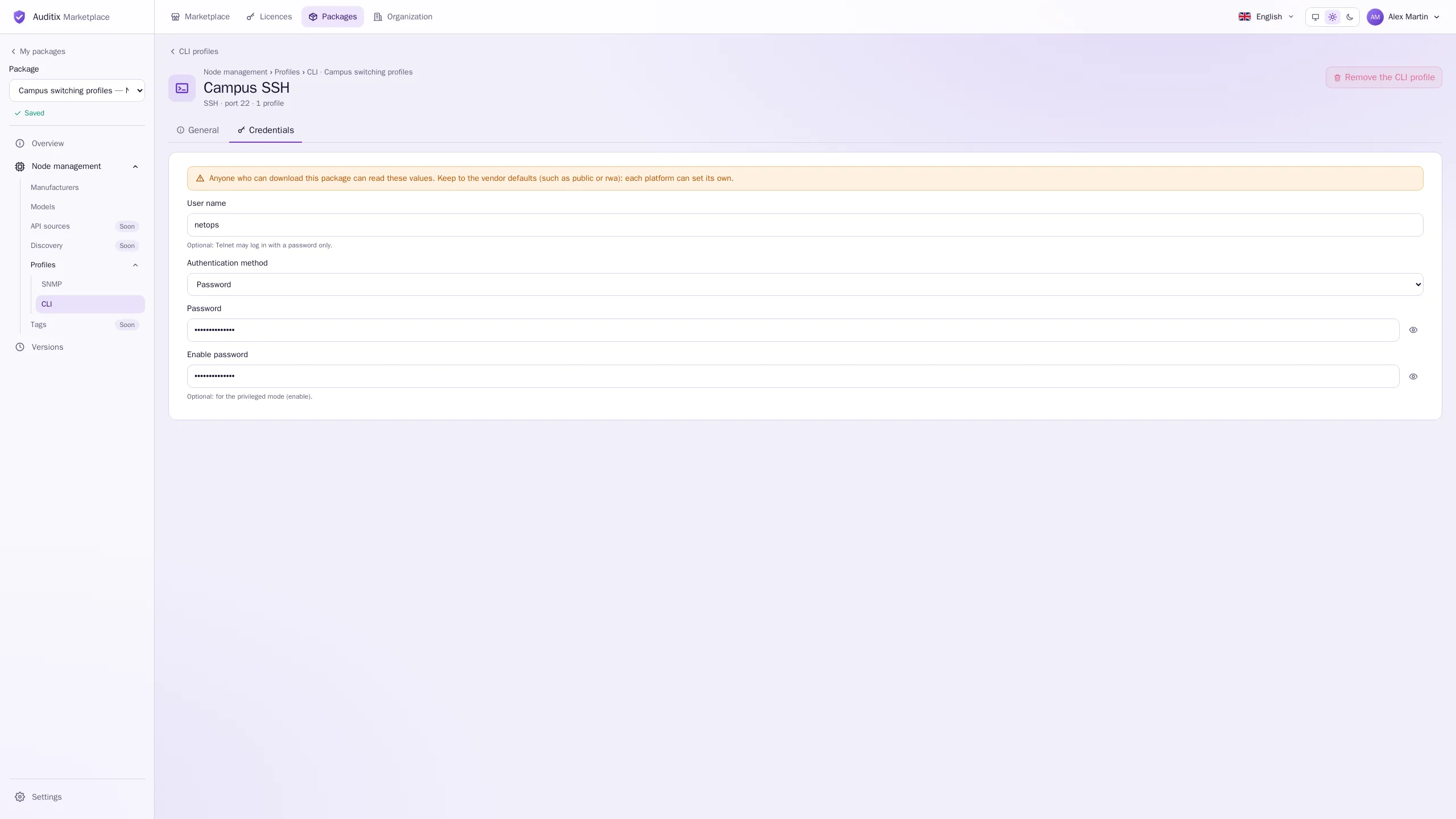
- Credentials: User name (optional: Telnet may log in with a password only), Authentication method (Password or Private key), Password, Enable password (optional, for the privileged mode).
A private key is never part of a package: with Private key, the key and its passphrase are supplied on each platform.
An SNMP or CLI profile used by profiles cannot be removed: give them another one or remove them first.
Profiles
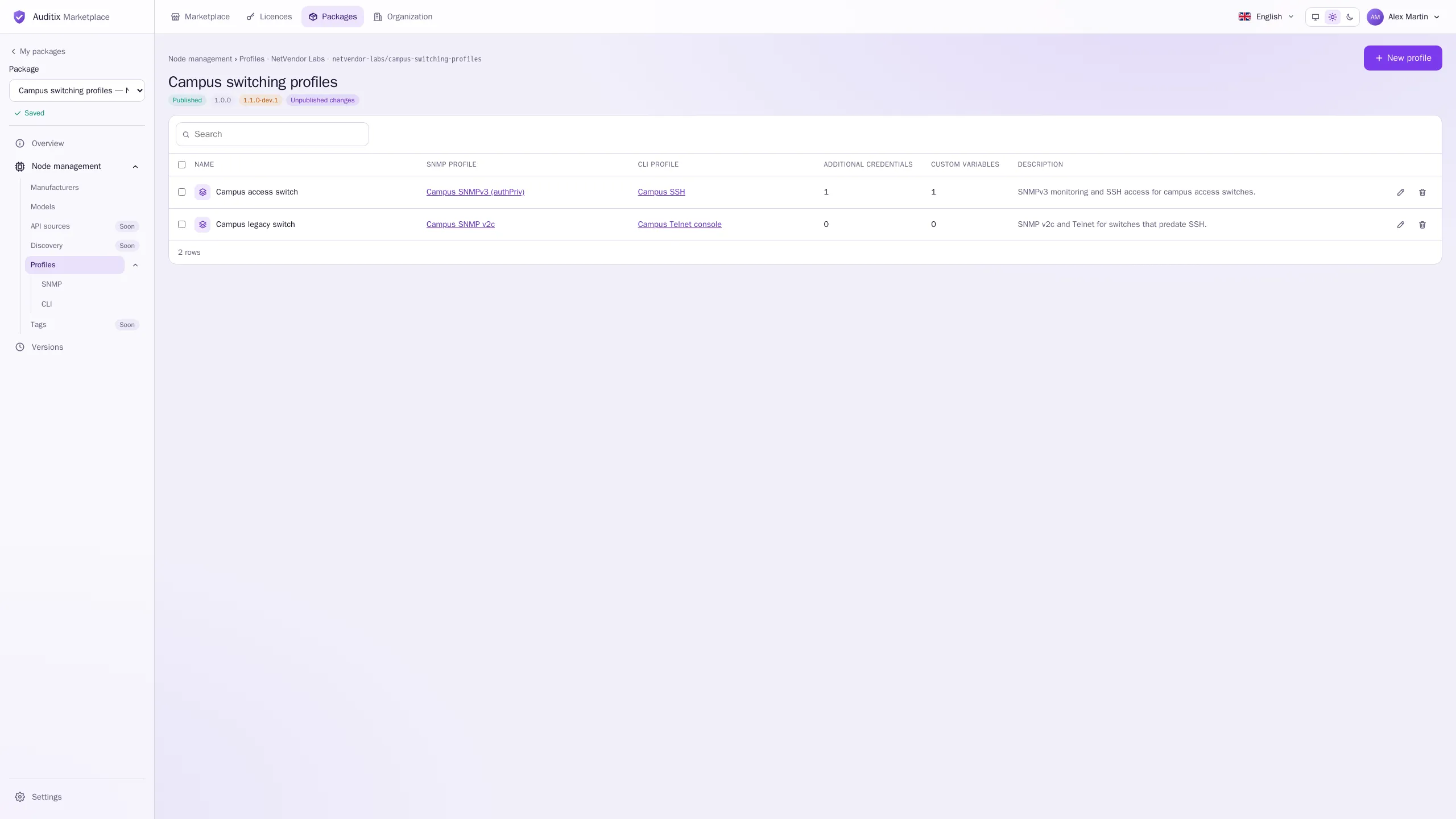
Section titled “Profiles”A profile is a ready-made way to reach a kind of equipment, under one name: an SNMP profile, a CLI profile or both, plus any other logins and values the equipment needs. On the platform it appears in Node management › Profiles.
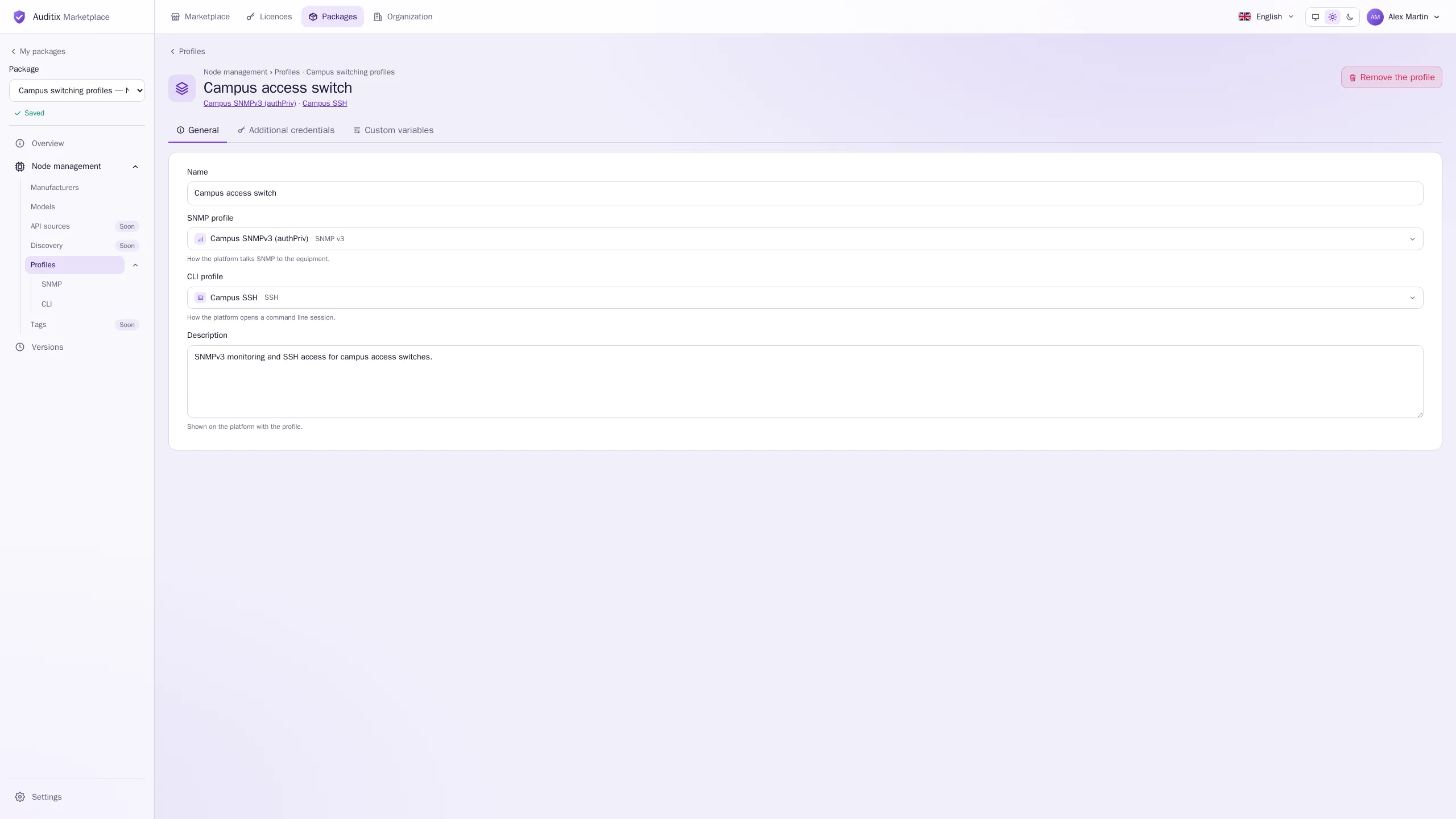
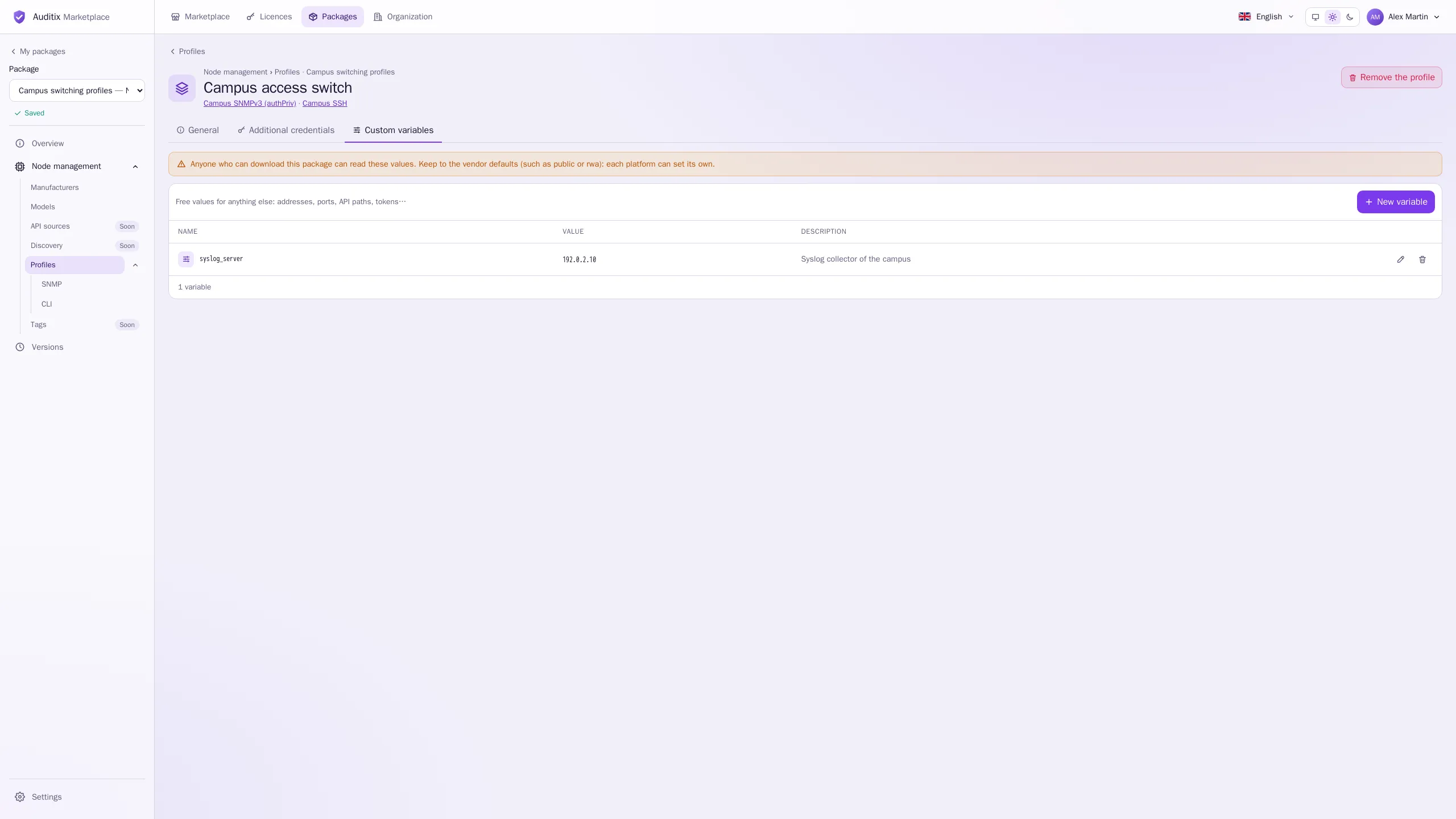
New profile asks for its Name (such as Campus access switch), its SNMP profile and its CLI profile (choose at least one; add them in SNMP and CLI first). Its page has three tabs: General, Additional credentials and Custom variables.
Additional credentials
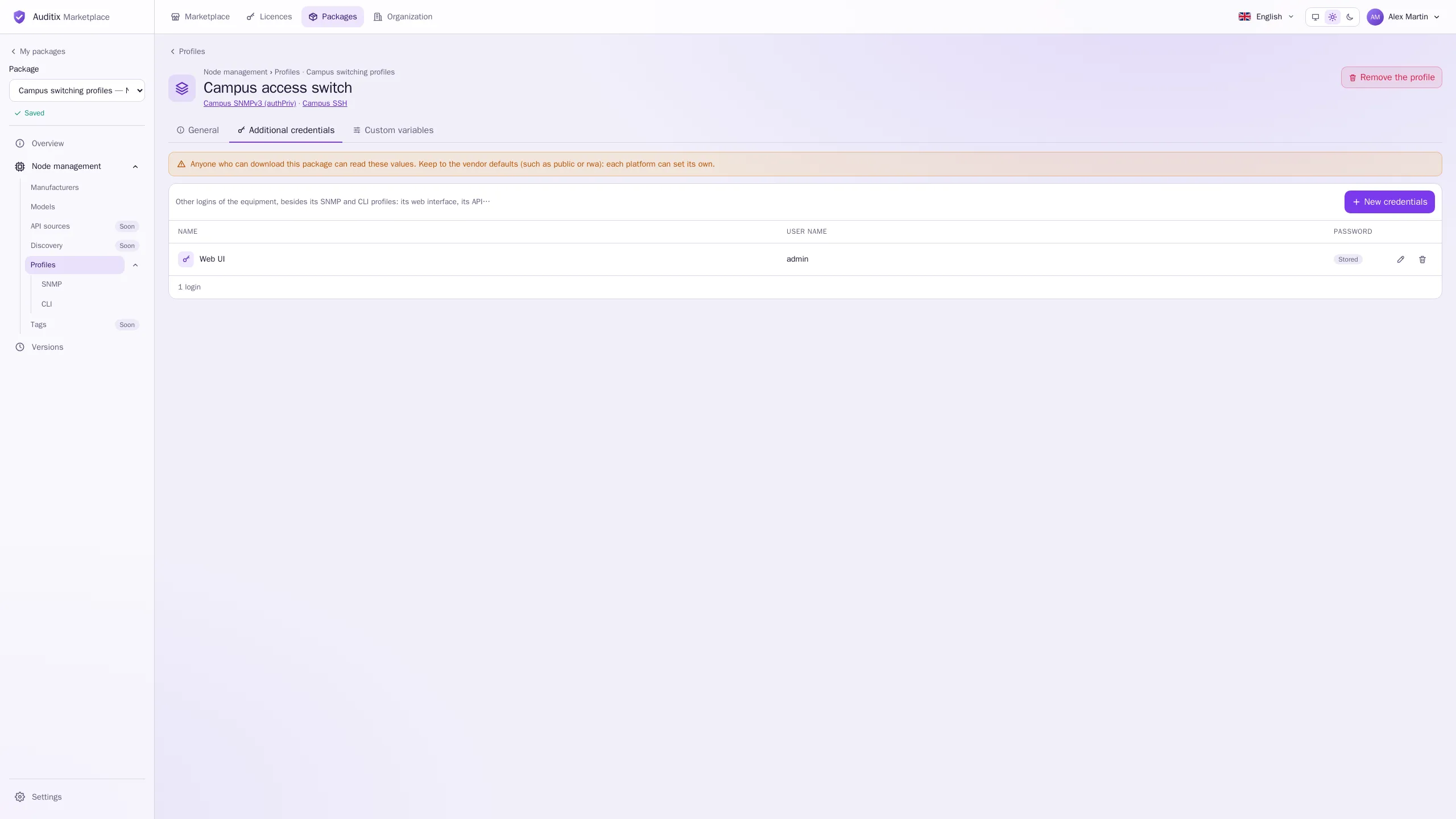
Section titled “Additional credentials”Other logins of the equipment besides its SNMP and CLI profiles: its web interface, its API… New credentials opens a dialog with Name (such as Web UI or REST API), User name and Password. Up to 20 per profile, each with a unique name. The table shows Stored instead of a password.
Custom variables
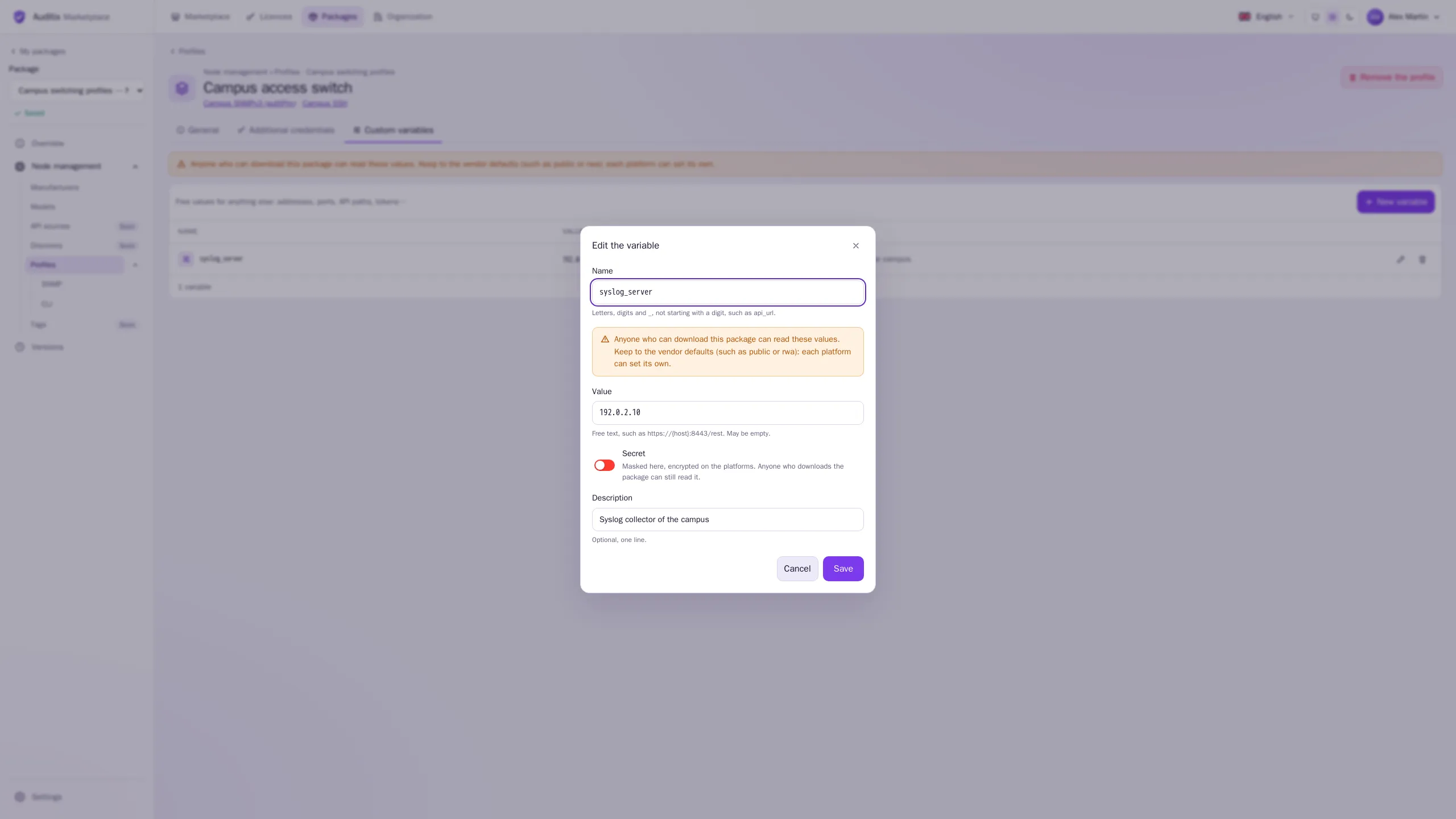
Section titled “Custom variables”Free values for anything else: addresses, ports, API paths, tokens. New variable opens a dialog:
| Field | Rule |
|---|---|
| Name | Letters, digits and _, not starting with a digit, unique in the profile: api_url |
| Value | Free text, may be empty: https://192.0.2.10:8443/rest |
| Secret | When on, the value is masked here and encrypted on the platforms. |
| Description | Optional, one line. |
Up to 50 per profile. The value is used as written, and each tenant of a platform can set its own value: see Additional credentials & custom variables.
Example: a ready-to-use profile
Section titled “Example: a ready-to-use profile”The package Campus switching profiles used in these pages ships two profiles. The first one, Campus access switch, combines:
| Part | Content |
|---|---|
| SNMP profile | Campus SNMPv3 (authPriv): SNMPv3, port 161, user campus-monitor, SHA-256 and AES-128 |
| CLI profile | Campus SSH: SSH, port 22, user netops, a password and an enable password |
| Additional credentials | Web UI: admin / s3cr3t-example |
| Custom variables | syslog_server = 192.0.2.10 (the syslog collector of the campus) |
The second, Campus legacy switch, pairs Campus SNMP v2c (community public) with Campus Telnet
console. A platform that installs the package gets these profiles ready to use; each tenant then
replaces the example values with its own.
Secrets in packages
Section titled “Secrets in packages”On the platforms, these values are stored encrypted, and each tenant can set its own values over them. The catalogue page of a package names credentials and variables but never shows their values.
Errors in the content
Section titled “Errors in the content”When something cannot be kept (a model without a manufacturer, a port outside 1–65535, an SNMPv3 password under 8 characters, a duplicate name…), the field is marked with the reason and the tab or row shows a warning icon. Fix it before publishing.